
CSS Tutorial
- Introduction to CSS
- What is CSS
- CSS Syntax
- How to Add CSS
- Inline CSS
- Internal CSS
- External CSS
- CSS Comments
CSS Properties
- CSS Background
- CSS Border
- CSS border-radius
- CSS border-collapse
- CSS border-spacing
- CSS Display
- CSS Cursor
- CSS Buttons
- CSS Float
- CSS Font
- CSS Font-size
- CSS font-family
- CSS font-weight
- CSS font-stretch
- CSS Colors
- CSS Hover
- CSS Important
- CSS Background-color
- background-attachment
- background-size
- CSS Line Height
- CSS Margin
- CSS Opacity
- CSS filter
- CSS Images
- CSS Overflow
- CSS Padding
- CSS Position
- CSS Vertical Align
- CSS White Space
- CSS Width
- CSS height
- CSS Word Wrap
- Box-shadow CSS
- CSS Text-shadow
- CSS text-transform
- CSS Outline
- CSS Visibility
- CSS Counter
- CSS clearfix
- CSS icons
- CSS justify-content
- CSS text-decoration
- CSS Lists
- CSS nth selector
- CSS sticky
- CSS background-clip
- CSS checkbox style
- CSS letter-spacing
- CSS Navigation bar
- CSS overlay
- CSS root
- CSS Specificity
- CSS text-indent
- CSS text-stroke
- CSS Zoom
- CSS order
- CSS Descendant Selector
- CSS calc()
- CSS Clip
- CSS clip-path
- CSS background-blend-mode
- CSS Radio Button
- Superscript & Subscript
- CSS Text Effects
- CSS text-align
- CSS Variables
- page-break-before property
- page-break-inside property
- page-break-after property
- CSS content property
- CSS word-spacing
- CSS object-fit
- CSS object-position
- CSS columns
- CSS pointer-events
- CSS hyphens
- CSS font-variant
- CSS left property
- CSS right property
- CSS bottom property
- CSS top property
- word-break property
- CSS max-height
- CSS max-width
- CSS min-height
- CSS min-width
- CSS border-image
- CSS cubic-bezier
- CSS quotes
CSS Tutorial
The CSS 3 tutorial provides both basic and advanced concepts of CSS technology. Our CSS tutorial is designed for both beginners and professionals. The key points of CSS are outlined below:

CSS, which stands for Cascading Style Sheets, is all about adding style and layout to webpages built with HTML. Think of HTML as the structure or skeleton of a web page, and CSS as the muscles, skin, and clothing that make it look good.
what CSS does:
- Style Control: CSS lets you define things like font size, color, background images, spacing, and more. You can use it to create a consistent look across your entire website.
- Layout Magic: CSS helps you arrange elements on the page, control how wide things are, and create columns.
- Responsive Design: With CSS, you can make your webpages adapt to different screen sizes, which is essential these days with everyone using phones, tablets, and desktops.
Basic Example of CSS
Here’s an example of CSS
					<!DOCTYPE>
<html>
<head>
<style>
body {
  background-color: lightblue;
}
h1 {
  color: white;
  text-align: center;
}
</style>
</head>
<body>
<h1>My Styled Heading</h1>
<p>This is a paragraph with the default styling.</p>
</body>
</html>
Output:
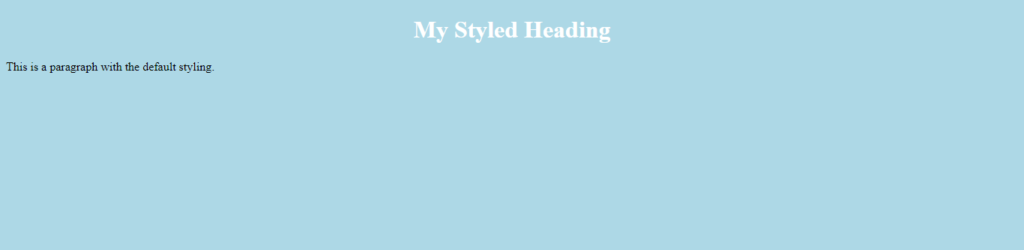
Explanation:
- The body selector targets the entire body of the HTML document.
- We set the background-color property to “lightblue” to change the background color of the page.
- The h1 selector targets all <h1> elements (headings) on the page.
- We set the color property to “white” to change the text color of headings.
- The text-align property is set to “center” to center the text of the headings.