Introduction
RAW photo processing tools are specialized software applications designed to work with RAW image files—the uncompressed, unprocessed data captured directly by a camera’s sensor. Unlike JPEG or PNG files, RAW images retain maximum detail, dynamic range, and color information, giving photographers complete control over exposure, white balance, color grading, and noise reduction.
These tools are essential because RAW files are not ready-to-use images. Without proper processing, they appear flat, dull, or underexposed. RAW photo processing software transforms this raw sensor data into high-quality images suitable for professional publishing, printing, marketing campaigns, social media, and archival storage.
Real-world use cases include professional photography, wedding and event shoots, commercial advertising, e-commerce product photography, media and journalism, creative fine art, and content creation for brands and influencers. From correcting lighting mistakes to achieving a consistent visual style, RAW tools play a central role in modern digital photography workflows.
When choosing a RAW photo processing tool, users should evaluate image quality output, color science, performance with large files, editing depth, ease of use, batch processing, AI-assisted features, platform compatibility, and long-term value.
Best for: Professional photographers, creative studios, media houses, marketing teams, fashion and product photographers, content creators, and photography enthusiasts who demand maximum image quality and editing control.
Not ideal for: Casual users who only shoot JPEGs, those needing quick social media filters without deep editing, or teams looking for collaborative cloud-based image approval workflows rather than individual image processing.
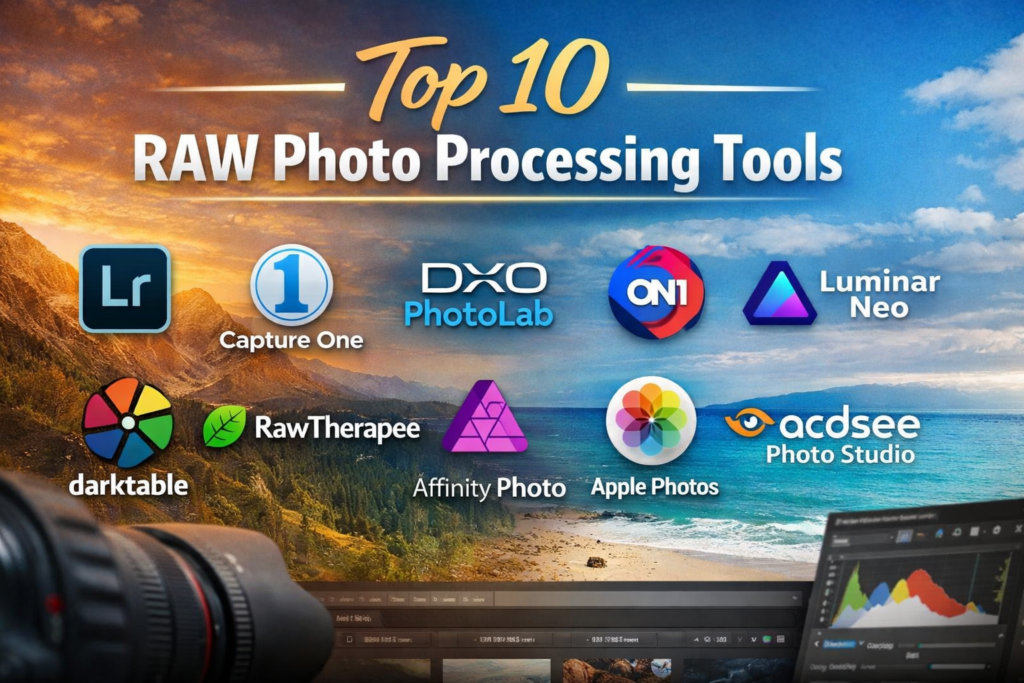
Top 10 RAW Photo Processing Tools
1 — Adobe Lightroom
Short description:
A professional-grade RAW photo editor combining powerful image processing with an intuitive workflow, widely used by photographers of all levels.
Key features:
- Advanced RAW image processing and color correction
- Non-destructive editing workflow
- AI-powered masking and subject selection
- Presets and batch editing capabilities
- Cloud sync and mobile editing support
- Extensive camera and lens profile support
Pros:
- Industry-standard tool with consistent updates
- Excellent balance of power and usability
Cons:
- Subscription-based pricing model
- Performance may slow on older systems
Security & compliance:
GDPR-aligned data handling; enterprise security standards vary by plan.
Support & community:
Extensive documentation, tutorials, large global user community, and professional support options.
2 — Capture One
Short description:
A high-end RAW processor known for superior color accuracy and studio-grade tethered shooting.
Key features:
- Exceptional color grading tools
- Advanced layer-based adjustments
- Industry-leading tethered shooting
- Customizable workspace
- High-end RAW conversion quality
- Styles and presets system
Pros:
- Outstanding image quality
- Preferred by studio and fashion photographers
Cons:
- Steeper learning curve
- Premium pricing
Security & compliance:
Varies / N/A (desktop-focused software).
Support & community:
Strong documentation, professional training resources, active professional community.
3 — DxO PhotoLab
Short description:
A technically advanced RAW processor focused on optical corrections and noise reduction.
Key features:
- Industry-leading noise reduction (DeepPRIME)
- Automatic lens and camera corrections
- Advanced local adjustments
- Excellent dynamic range recovery
- High-quality RAW conversion
Pros:
- Best-in-class noise handling
- Minimal manual correction needed
Cons:
- Interface feels technical
- Limited asset management tools
Security & compliance:
Varies / N/A.
Support & community:
Solid documentation, responsive support, niche professional community.
4 — ON1 Photo RAW
Short description:
An all-in-one RAW editor combining photo management, effects, and AI-driven tools.
Key features:
- Non-destructive RAW editing
- Built-in photo cataloging
- AI-powered sky replacement and masking
- Extensive filter and effects library
- Works offline without cloud dependency
Pros:
- One-time purchase option
- Feature-rich without subscriptions
Cons:
- Performance can vary with large catalogs
- Interface can feel crowded
Security & compliance:
Varies / N/A.
Support & community:
Active user community, tutorials, and standard support channels.
5 — Luminar Neo
Short description:
An AI-focused RAW photo editor designed for fast, creative results with minimal effort.
Key features:
- AI-driven enhancements
- Sky and background replacement
- Non-destructive editing layers
- Presets for quick workflows
- Simplified user interface
Pros:
- Extremely beginner-friendly
- Fast creative results
Cons:
- Less granular manual control
- Not ideal for complex workflows
Security & compliance:
Varies / N/A.
Support & community:
Good onboarding resources, active creative community.
6 — Darktable
Short description:
A powerful open-source RAW editor favored by technically inclined photographers.
Key features:
- Professional-grade RAW processing
- Non-destructive workflow
- Advanced color modules
- Batch processing support
- Extensive camera compatibility
Pros:
- Completely free and open-source
- Highly customizable
Cons:
- Steep learning curve
- Interface less polished
Security & compliance:
Open-source transparency; compliance varies by deployment.
Support & community:
Strong community forums, documentation, and developer support.
7 — RawTherapee
Short description:
A free, advanced RAW processing tool focused on image quality and detail control.
Key features:
- High-quality demosaicing algorithms
- Advanced sharpening and noise control
- Wide color space support
- Non-destructive editing
- Cross-platform compatibility
Pros:
- Excellent image quality output
- Free to use
Cons:
- Interface can be intimidating
- Slower workflow for large batches
Security & compliance:
Open-source; varies by usage.
Support & community:
Community-driven documentation and forums.
8 — Affinity Photo
Short description:
A professional photo editor offering RAW processing combined with advanced retouching tools.
Key features:
- RAW development persona
- Layer-based editing
- Advanced retouching and compositing
- One-time purchase model
- High-performance engine
Pros:
- Excellent value for money
- No subscription required
Cons:
- Asset management is limited
- RAW tools less specialized than competitors
Security & compliance:
Varies / N/A.
Support & community:
Good documentation, active creative community.
9 — Apple Photos
Short description:
A built-in macOS solution offering basic RAW editing for Apple ecosystem users.
Key features:
- Native RAW support
- Simple adjustment tools
- iCloud photo syncing
- Integration with macOS apps
- Clean, minimal interface
Pros:
- Easy to use
- Seamless Apple ecosystem integration
Cons:
- Limited professional controls
- Not suitable for advanced workflows
Security & compliance:
Strong encryption and privacy controls within Apple ecosystem.
Support & community:
Apple documentation and customer support.
10 — ACDSee Photo Studio
Short description:
A desktop-based RAW editor with strong photo management and editing capabilities.
Key features:
- RAW development tools
- Digital asset management
- Layered editing
- Face recognition and tagging
- Batch processing
Pros:
- Good balance of editing and organization
- Flexible licensing options
Cons:
- Interface feels dated
- Smaller ecosystem
Security & compliance:
Varies / N/A.
Support & community:
Standard documentation and customer support.
Comparison Table
| Tool Name | Best For | Platform(s) Supported | Standout Feature | Rating |
|---|---|---|---|---|
| Adobe Lightroom | Professionals & enthusiasts | Windows, macOS, Mobile | AI masking & workflow | N/A |
| Capture One | Studio & fashion photography | Windows, macOS | Superior color science | N/A |
| DxO PhotoLab | Low-light & technical correction | Windows, macOS | DeepPRIME noise reduction | N/A |
| ON1 Photo RAW | All-in-one editing | Windows, macOS | No subscription model | N/A |
| Luminar Neo | Fast creative edits | Windows, macOS | AI-powered enhancements | N/A |
| Darktable | Technical users | Windows, macOS, Linux | Open-source flexibility | N/A |
| RawTherapee | Image quality purists | Windows, macOS, Linux | Advanced demosaicing | N/A |
| Affinity Photo | Designers & photographers | Windows, macOS, iPad | One-time purchase | N/A |
| Apple Photos | Casual Mac users | macOS, iOS | Ecosystem integration | N/A |
| ACDSee Photo Studio | Asset management | Windows | Photo organization | N/A |
Evaluation & Scoring of RAW Photo Processing Tools
| Criteria | Weight | Description |
|---|---|---|
| Core features | 25% | Depth and quality of RAW editing tools |
| Ease of use | 15% | Learning curve and workflow efficiency |
| Integrations & ecosystem | 15% | Compatibility with devices and tools |
| Security & compliance | 10% | Data handling and privacy |
| Performance & reliability | 10% | Speed and stability |
| Support & community | 10% | Learning resources and help |
| Price / value | 15% | Cost relative to capabilities |
Which RAW Photo Processing Tool Is Right for You?
- Solo users: Look for intuitive tools with presets and AI assistance.
- SMBs: Balance cost, performance, and batch processing features.
- Mid-market teams: Prioritize consistency, performance, and workflow efficiency.
- Enterprise studios: Demand color accuracy, reliability, and scalability.
Budget-conscious users should consider one-time purchase or open-source tools, while professionals benefit from premium color science and support. Ease of use matters for speed, while feature depth matters for creative control. Security concerns are generally minimal, as most tools operate locally.
Frequently Asked Questions (FAQs)
1. What is a RAW photo file?
A RAW file contains unprocessed sensor data, offering maximum editing flexibility.
2. Are RAW tools better than JPEG editors?
Yes, they allow deeper adjustments without quality loss.
3. Do beginners need RAW processing tools?
Beginners benefit if they want to learn photography seriously.
4. Are free RAW editors reliable?
Yes, but they often require more technical knowledge.
5. Do these tools work offline?
Most desktop RAW tools function fully offline.
6. Is AI editing replacing manual editing?
AI assists speed, but manual control remains essential.
7. Are subscriptions necessary?
Not always; several tools offer one-time purchases.
8. Do RAW tools slow down computers?
They require more system resources than basic editors.
9. Can one tool handle all photography styles?
No single tool is perfect for every workflow.
10. Should I switch tools often?
Switch only if your needs or skill level change.
Conclusion
RAW photo processing tools are essential for photographers who care about image quality, creative control, and professional results. While some tools excel in color science, others focus on AI speed, affordability, or open-source flexibility. The best choice depends on your workflow, budget, skill level, and creative goals.
There is no universal winner—only the right tool for your specific needs. Choosing thoughtfully ensures long-term satisfaction and consistently stunning images.