Introduction
Mind Mapping Tools are digital applications designed to visually organize ideas, concepts, and information around a central theme. Instead of working through linear notes or documents, mind maps allow users to think spatially—connecting thoughts through branches, keywords, colors, icons, and relationships. This approach mirrors how the human brain naturally processes information, making it easier to brainstorm, plan, remember, and communicate complex ideas.
In today’s fast-paced digital environment, mind mapping tools play a crucial role in idea generation, strategic planning, learning, project management, and collaboration. Teams use them to map workflows and product roadmaps, educators rely on them to simplify learning, and individuals use them for note-taking, goal planning, and creative thinking. With remote and hybrid work becoming the norm, cloud-based mind mapping tools also support real-time collaboration and asynchronous brainstorming.
When choosing a mind mapping tool, users should evaluate ease of use, collaboration features, integrations, platform support, export options, performance, and security controls. The right tool should reduce cognitive load—not add complexity—while fitting seamlessly into existing workflows.
Best for:
Mind mapping tools are ideal for students, educators, product managers, designers, marketers, consultants, startup founders, and enterprise teams that need to structure ideas visually. They are especially valuable in knowledge-heavy industries such as education, technology, consulting, healthcare planning, and creative services.
Not ideal for:
These tools may not be necessary for users who prefer purely linear workflows, minimal planning, or highly structured task systems where traditional project management or simple note-taking apps are sufficient.
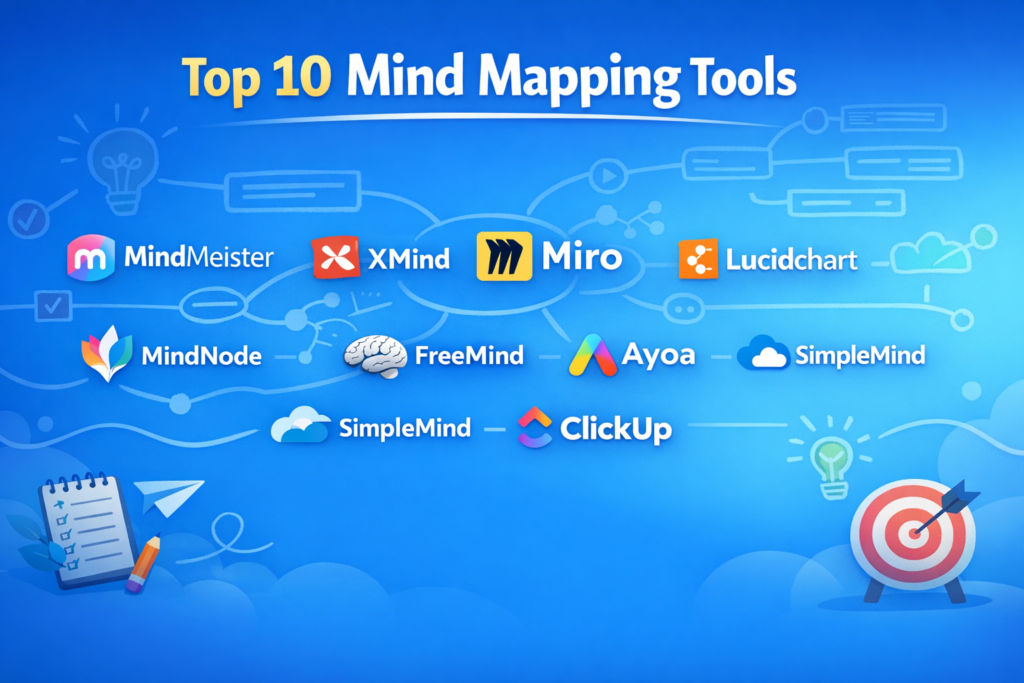
Top 10 Mind Mapping Tools
1 — MindMeister
Short description:
A popular cloud-based mind mapping tool designed for real-time collaboration, brainstorming, and structured idea development for teams and educators.
Key features:
- Real-time multi-user collaboration
- Visual themes, icons, and emojis
- Task and priority assignment
- Version history and change tracking
- Presentation and export modes
- Cloud-first architecture
- Integration with productivity tools
Pros:
- Very intuitive and beginner-friendly
- Strong collaboration and sharing capabilities
Cons:
- Limited advanced customization
- Free tier has usage constraints
Security & compliance:
SSO support, encrypted data storage, GDPR compliance
Support & community:
Comprehensive documentation, onboarding guides, responsive support, active user base
2 — XMind
Short description:
A powerful cross-platform mind mapping tool favored by professionals who need structured diagrams with offline support.
Key features:
- Multiple diagram types (mind map, fishbone, logic chart)
- Offline desktop mode
- Rich formatting and themes
- Export to multiple formats
- Focus and Zen modes
- Keyboard-centric workflows
Pros:
- Excellent performance for large maps
- Works fully offline
Cons:
- Collaboration features are limited
- Interface can feel dense for beginners
Security & compliance:
Local data storage, encryption options vary by edition
Support & community:
Good documentation, long-standing global community
3 — Miro
Short description:
A collaborative visual workspace that combines mind mapping with whiteboarding, planning, and ideation for distributed teams.
Key features:
- Infinite canvas
- Real-time collaboration
- Mind map templates
- Sticky notes and diagrams
- Integrations with work tools
- Presentation and facilitation modes
Pros:
- Excellent for team brainstorming
- Highly flexible use cases
Cons:
- Can feel overwhelming for simple needs
- Performance depends on board size
Security & compliance:
SSO, SOC 2, GDPR, enterprise-grade controls
Support & community:
Strong enterprise support, large template ecosystem
4 — Lucidchart
Short description:
A professional diagramming platform that includes mind mapping as part of a broader visual documentation suite.
Key features:
- Mind maps and flowcharts
- Team collaboration
- Version control
- Presentation mode
- Data linking and imports
- Role-based access controls
Pros:
- Ideal for structured documentation
- Enterprise-ready collaboration
Cons:
- Mind mapping is not the primary focus
- Premium pricing for advanced features
Security & compliance:
SOC 2, GDPR, SSO, audit logs
Support & community:
Strong enterprise documentation and onboarding
5 — Coggle
Short description:
A lightweight, browser-based mind mapping tool focused on simplicity and fast idea capture.
Key features:
- Unlimited image uploads
- Real-time collaboration
- Automatic layout
- Version history
- Easy sharing
- Minimal learning curve
Pros:
- Extremely easy to use
- Clean and distraction-free
Cons:
- Limited advanced features
- Not suitable for complex planning
Security & compliance:
Basic encryption, GDPR compliance
Support & community:
Simple documentation, responsive support
6 — MindNode
Short description:
A beautifully designed mind mapping app built specifically for users in the Apple ecosystem.
Key features:
- Native macOS and iOS apps
- Focus mode
- Smart layouts
- Visual tags and stickers
- iCloud sync
- Export to documents and images
Pros:
- Excellent UI and performance
- Seamless Apple integration
Cons:
- Apple-only availability
- Limited collaboration
Security & compliance:
iCloud security standards, local encryption
Support & community:
High-quality documentation, loyal user base
7 — FreeMind
Short description:
A long-standing open-source mind mapping tool aimed at users who prefer free, offline software.
Key features:
- Lightweight desktop application
- Keyboard shortcuts
- Hierarchical structuring
- Export options
- Plugin support
- Cross-platform compatibility
Pros:
- Completely free
- Very lightweight
Cons:
- Outdated interface
- No real-time collaboration
Security & compliance:
Local data only, no formal compliance certifications
Support & community:
Community-driven support, open-source forums
8 — Ayoa
Short description:
A hybrid platform combining mind mapping with task and productivity management.
Key features:
- Mind maps with task conversion
- Kanban boards
- Collaboration features
- Visual planners
- Cross-platform access
- Team productivity tools
Pros:
- Bridges ideation and execution
- Good for creative teams
Cons:
- Interface can feel busy
- Learning curve for new users
Security & compliance:
Standard encryption, GDPR compliance
Support & community:
Good tutorials, active user community
9 — SimpleMind
Short description:
A flexible mind mapping tool optimized for mobile and desktop users who need free-form layouts.
Key features:
- Free-form and auto layouts
- Mobile-first design
- Cross-platform support
- Custom styles
- Offline mode
- Cloud sync options
Pros:
- Great mobile experience
- Highly flexible layouts
Cons:
- Collaboration is limited
- Advanced features require paid version
Security & compliance:
Local storage with optional cloud sync
Support & community:
Clear documentation, responsive support
10 — ClickUp
Short description:
An all-in-one work management platform that includes mind mapping as part of broader productivity workflows.
Key features:
- Mind maps linked to tasks
- Real-time collaboration
- Extensive integrations
- Automation rules
- Dashboards and reporting
- Role-based permissions
Pros:
- Strong integration with task management
- Scales well for teams
Cons:
- Overkill for simple mind mapping
- Interface complexity
Security & compliance:
SOC 2, GDPR, SSO, audit logs
Support & community:
Extensive documentation, enterprise support available
Comparison Table
| Tool Name | Best For | Platform(s) Supported | Standout Feature | Rating |
|---|---|---|---|---|
| MindMeister | Team brainstorming | Web | Real-time collaboration | N/A |
| XMind | Structured planning | Windows, macOS, Linux | Offline power | N/A |
| Miro | Remote teams | Web, Desktop | Infinite canvas | N/A |
| Lucidchart | Enterprise diagrams | Web | Documentation workflows | N/A |
| Coggle | Simple mind maps | Web | Ease of use | N/A |
| MindNode | Apple users | macOS, iOS | Design quality | N/A |
| FreeMind | Offline users | Desktop | Open-source | N/A |
| Ayoa | Creative teams | Web, Desktop | Mind map + tasks | N/A |
| SimpleMind | Mobile users | Mobile, Desktop | Free-form layouts | N/A |
| ClickUp | Scalable teams | Web, Mobile | Task-linked maps | N/A |
Evaluation & Scoring of Mind Mapping Tools
| Criteria | Weight | Description |
|---|---|---|
| Core features | 25% | Depth of mind mapping capabilities |
| Ease of use | 15% | Learning curve and usability |
| Integrations & ecosystem | 15% | Compatibility with other tools |
| Security & compliance | 10% | Data protection and controls |
| Performance & reliability | 10% | Speed and stability |
| Support & community | 10% | Documentation and help |
| Price / value | 15% | Cost vs benefits |
Which Mind Mapping Tool Is Right for You?
- Solo users: SimpleMind, MindNode, Coggle
- SMBs: MindMeister, Ayoa
- Mid-market teams: Miro, ClickUp
- Enterprises: Lucidchart, Miro, ClickUp
Budget-conscious users may prefer open-source or lightweight tools, while premium solutions suit organizations needing collaboration, security, and integrations.
Frequently Asked Questions (FAQs)
- Are mind mapping tools only for brainstorming?
No. They are widely used for planning, learning, documentation, and problem-solving. - Can mind maps replace project management tools?
They complement them but rarely replace full project management systems. - Do these tools support collaboration?
Most modern tools offer real-time or async collaboration. - Are mind maps suitable for enterprise use?
Yes, especially tools with SSO, audit logs, and access controls. - Is offline access important?
It depends on your workflow; some professionals prefer offline-first tools. - Are free tools reliable?
They are useful for basic needs but may lack advanced features. - Can mind maps be exported?
Most tools support image, PDF, or document exports. - Are mobile apps effective for mind mapping?
Yes, especially for quick idea capture. - How secure are cloud-based mind maps?
Security varies; enterprise tools offer stronger compliance. - What is the most common mistake users make?
Choosing overly complex tools for simple needs.
Conclusion
Mind mapping tools have evolved into powerful platforms for thinking, planning, and collaboration. While some tools excel at simplicity and speed, others focus on enterprise-grade collaboration and integration. The key is to align the tool with your workflow, scale, security needs, and budget.
There is no universal “best” mind mapping tool. The right choice depends on how you think, how you work, and what problems you are trying to solve. Choose wisely—and let your ideas grow visually.