Introduction
Computational Fluid Dynamics (CFD) software is a class of advanced engineering tools used to simulate, analyse, and visualise fluid flow, heat transfer, and related physical phenomena using numerical methods and algorithms. Instead of relying solely on physical prototypes or wind tunnel testing, CFD allows engineers and researchers to explore how liquids and gases behave inside or around complex systems—digitally, accurately, and repeatedly.
CFD software plays a critical role across modern engineering and science, enabling faster innovation, cost reduction, and deeper insight into fluid-driven behaviour. From aerospace and automotive aerodynamics to HVAC design, biomedical flows, energy systems, and chemical processing, CFD is now a foundational technology.
When choosing a CFD tool, users typically evaluate:
- Physics coverage (turbulence, multiphase flow, heat transfer, combustion)
- Accuracy and solver robustness
- Ease of use vs depth of control
- Scalability and performance
- Integration with CAD, PLM, and simulation ecosystems
- Licensing cost and deployment model
- Support, documentation, and community
Best for:
CFD software is most valuable for mechanical engineers, aerospace engineers, automotive designers, energy specialists, researchers, simulation consultants, and R&D teams in startups, SMBs, and large enterprises across manufacturing, energy, healthcare, and infrastructure.
Not ideal for:
CFD tools may be excessive for simple analytical problems, early conceptual ideation without geometry, or teams without simulation expertise. In such cases, reduced-order models, empirical correlations, or basic analytical tools may be more appropriate.
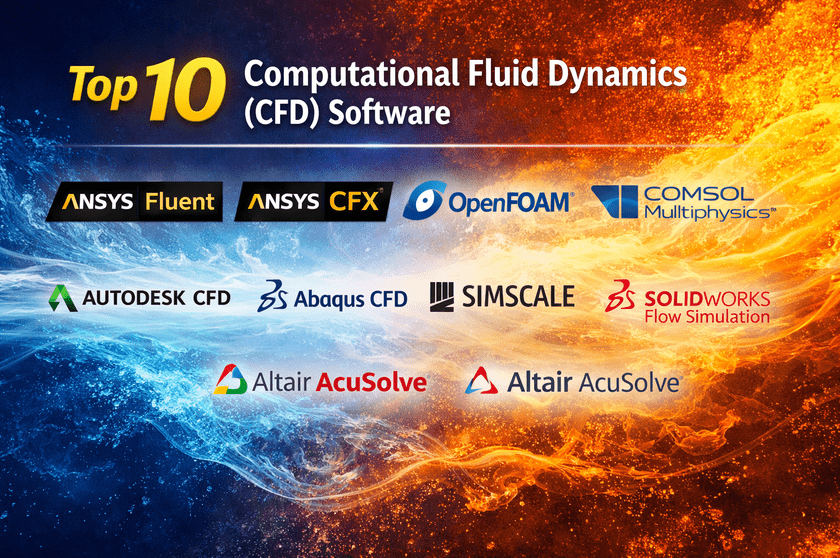
Top 10 Computational Fluid Dynamics (CFD) Software Tools
1 — ANSYS Fluent
Short description:
ANSYS Fluent is one of the most widely used CFD solvers in the world, known for its accuracy, scalability, and extensive physics modelling. It is designed for enterprise-grade simulations across industries.
Key features:
- Advanced turbulence models (LES, DES, RANS)
- Multiphase and reacting flow simulation
- Heat transfer and radiation modelling
- GPU and HPC acceleration
- Extensive meshing and solver controls
- Customisation via user-defined functions (UDFs)
Pros:
- Industry-proven accuracy and reliability
- Extremely broad physics coverage
- Strong HPC and large-scale simulation support
Cons:
- Steep learning curve for beginners
- High licensing cost
- Requires powerful hardware for large models
Security & compliance:
Enterprise-grade security, role-based access, and audit controls (varies by deployment).
Support & community:
Excellent documentation, global enterprise support, very large professional user community.
2 — ANSYS CFX
Short description:
ANSYS CFX is optimised for turbomachinery and rotating equipment simulations, offering high accuracy and stability for complex flows.
Key features:
- Specialised turbomachinery workflows
- Robust rotating frame and transient solvers
- High-order discretisation schemes
- Tight integration with the ANSYS ecosystem
- Automatic convergence control
Pros:
- Exceptional stability for rotating flows
- Accurate results with less tuning
- Strong for pumps, compressors, turbines
Cons:
- Less flexible than Fluent for custom physics
- Smaller user base
- Premium pricing
Security & compliance:
Enterprise security standards, access control (varies).
Support & community:
Strong enterprise support, focused expert community.
3 — OpenFOAM
Short description:
OpenFOAM is an open-source CFD platform offering complete solver transparency and customisation for advanced users and researchers.
Key features:
- Fully open-source architecture
- Customizable solvers and numerical schemes
- Wide range of physical models
- Parallel computing support
- Extensive scripting and automation
Pros:
- No licensing cost
- Unlimited customization
- Strong academic and research adoption
Cons:
- Very steep learning curve
- Minimal official technical support
- Requires strong CFD and programming expertise
Security & compliance:
N/A (self-managed, open-source).
Support & community:
Large global community, forums, academic resources; commercial support available via vendors.
4 — COMSOL Multiphysics
Short description:
COMSOL Multiphysics excels at coupled multiphysics simulations, combining CFD with structural, electrical, and chemical physics.
Key features:
- Fully coupled multiphysics modelling
- Intuitive graphical interface
- Equation-based modeling
- Parametric and optimisation studies
- CAD and MATLAB integration
Pros:
- Excellent for multiphysics problems
- User-friendly modelling environment
- Strong visualisation tools
Cons:
- Expensive licensing
- Slower for very large CFD-only models
- Limited turbulence depth compared to Fluent
Security & compliance:
Enterprise-grade security options.
Support & community:
High-quality documentation, responsive support, active academic and industrial community.
5 — Siemens STAR-CCM+
Short description:
STAR-CCM+ is a unified CFD platform emphasising automation, robustness, and large-scale industrial simulation.
Key features:
- Integrated meshing and solving
- Automated workflows
- Multiphase, reacting, and conjugate heat transfer
- Design exploration and optimisation
- Strong CAD and PLM integration
Pros:
- Highly automated and stable
- Excellent for industrial workflows
- Scales well for enterprise use
Cons:
- High cost
- Less granular solver control
- Requires training for advanced use
Security & compliance:
Enterprise IT security standards.
Support & community:
Strong enterprise support, extensive training resources.
6 — Autodesk CFD
Short description:
Autodesk CFD targets designers and engineers who want accessible CFD directly connected to CAD workflows.
Key features:
- CAD-integrated simulation
- Automated meshing
- Cloud-based solving options
- Thermal and flow analysis
- Design comparison tools
Pros:
- Easy to learn
- Strong CAD integration
- Suitable for early-stage design
Cons:
- Limited advanced turbulence models
- Not ideal for high-fidelity research
- Reduced solver customization
Security & compliance:
Cloud security standards apply (varies).
Support & community:
Good documentation, Autodesk ecosystem support.
7 — Abaqus CFD
Short description:
Abaqus CFD focuses on fluid–structure interaction and co-simulation with structural mechanics.
Key features:
- Strong FSI capabilities
- Lattice Boltzmann method support
- Tight integration with Abaqus FEM
- Transient flow modelling
- Advanced material coupling
Pros:
- Best-in-class FSI
- Accurate transient simulations
- Strong structural coupling
Cons:
- Limited standalone CFD features
- Smaller CFD user base
- Premium pricing
Security & compliance:
Enterprise-grade security.
Support & community:
Excellent enterprise support, strong engineering user base.
8 — SimScale
Short description:
SimScale is a cloud-native CFD platform enabling browser-based simulation without local hardware requirements.
Key features:
- Fully cloud-based simulation
- No local installation needed
- Collaboration and sharing
- Automated meshing
- Public project library
Pros:
- Low infrastructure cost
- Easy collaboration
- Fast onboarding
Cons:
- Internet dependency
- Limited customization
- Performance tied to cloud tiers
Security & compliance:
Cloud security standards, GDPR alignment.
Support & community:
Good documentation, active community forum.
9 — SOLIDWORKS Flow Simulation
Short description:
SOLIDWORKS Flow Simulation is an embedded CFD tool for mechanical designers working within SOLIDWORKS CAD.
Key features:
- Seamless CAD integration
- Automated setup
- Thermal and flow analysis
- Parametric studies
- HVAC-focused workflows
Pros:
- Extremely easy to use
- Ideal for designers
- Fast design feedback
Cons:
- Limited physics depth
- Not suitable for advanced research
- Requires SOLIDWORKS license
Security & compliance:
N/A (desktop-based).
Support & community:
Strong SOLIDWORKS user community, reseller support.
10 — Altair AcuSolve
Short description:
Altair AcuSolve is a high-performance CFD solver designed for speed, robustness, and large-scale industrial simulations.
Key features:
- Efficient parallel solver
- Automatic mesh adaptation
- Robust convergence
- Multiphase and thermal modeling
- Integration with the Altair ecosystem
Pros:
- Very fast solution times
- Stable for large models
- Lower memory footprint
Cons:
- Smaller user community
- Less learning material
- Limited customisation compared to OpenFOAM
Security & compliance:
Enterprise-grade security.
Support & community:
Professional enterprise support, growing community.
Comparison Table
| Tool Name | Best For | Platform(s) Supported | Standout Feature | Rating |
|---|---|---|---|---|
| ANSYS Fluent | Enterprise CFD | Windows, Linux | Physics depth | N/A |
| ANSYS CFX | Turbomachinery | Windows, Linux | Rotating flows | N/A |
| OpenFOAM | Research & customization | Linux, Windows | Open-source flexibility | N/A |
| COMSOL Multiphysics | Multiphysics coupling | Windows, macOS, Linux | Equation-based modeling | N/A |
| STAR-CCM+ | Industrial automation | Windows, Linux | Unified workflow | N/A |
| Autodesk CFD | Design-stage CFD | Windows | CAD-centric CFD | N/A |
| Abaqus CFD | Fluid–structure interaction | Windows, Linux | FSI accuracy | N/A |
| SimScale | Cloud collaboration | Browser-based | No hardware needed | N/A |
| SOLIDWORKS Flow Simulation | Designers | Windows | Embedded CAD CFD | N/A |
| Altair AcuSolve | High-performance CFD | Windows, Linux | Solver speed | N/A |
Evaluation & Scoring of Computational Fluid Dynamics (CFD) Software
| Evaluation Criteria | Weight | Description |
|---|---|---|
| Core features | 25% | Physics models, solver robustness |
| Ease of use | 15% | Learning curve, UI |
| Integrations & ecosystem | 15% | CAD, PLM, scripting |
| Security & compliance | 10% | Enterprise readiness |
| Performance & reliability | 10% | Speed, scalability |
| Support & community | 10% | Documentation, help |
| Price / value | 15% | ROI vs cost |
Which Computational Fluid Dynamics (CFD) Software Tool Is Right for You?
- Solo users & students: OpenFOAM, SimScale
- SMBs: Autodesk CFD, SOLIDWORKS Flow Simulation
- Mid-market: COMSOL, Altair AcuSolve
- Enterprise: ANSYS Fluent, STAR-CCM+, Abaqus CFD
Choose ease of use for fast iteration, feature depth for research accuracy, and scalability for enterprise workloads. Security, compliance, and long-term support become critical at scale.
Frequently Asked Questions (FAQs)
- Is CFD software difficult to learn?
Yes, most tools have a learning curve, especially high-fidelity solvers. - Is open-source CFD reliable?
Yes, but it requires strong expertise and validation. - Do I need HPC for CFD?
Large or transient models benefit significantly from HPC. - Can CFD replace wind tunnel testing?
It reduces testing needs but does not fully replace experiments. - Which CFD tool is best for beginners?
SOLIDWORKS Flow Simulation and Autodesk CFD. - Are cloud CFD tools secure?
Most follow standard cloud security practices. - What industries use CFD most?
Aerospace, automotive, energy, HVAC, and biomedical. - How accurate are CFD results?
Accuracy depends on models, mesh quality, and validation. - Is CFD software expensive?
Enterprise tools are costly; open-source options reduce cost. - Can CFD be automated?
Yes, many tools support scripting and optimisation workflows.
Conclusion
Computational Fluid Dynamics software has become indispensable for modern engineering, enabling deeper insight, faster innovation, and reduced development costs. From open-source flexibility to enterprise-grade accuracy, today’s CFD landscape offers tools for every skill level and industry.
There is no single “best” CFD software. The right choice depends on your technical requirements, budget, team expertise, and scalability needs. By aligning these factors carefully, organisations and individuals can unlock the full power of CFD to design better, safer, and more efficient systems.