Introduction
CAD/CAM manufacturing software sits at the heart of modern product design and production. CAD (Computer-Aided Design) tools are used to design parts and assemblies digitally, while CAM (Computer-Aided Manufacturing) software converts those designs into machine-readable instructions for CNC machines, mills, lathes, routers, and 3D printers. Together, CAD/CAM software forms a continuous digital workflow—from concept to finished part—reducing errors, improving precision, and dramatically accelerating manufacturing cycles.
In today’s competitive manufacturing environment, CAD/CAM software is no longer a “nice-to-have.” It is essential for industries that demand tight tolerances, repeatability, and fast iteration, such as automotive, aerospace, medical devices, electronics, tooling, and general manufacturing. These tools help engineers simulate machining, optimise toolpaths, reduce material waste, and ensure that what gets manufactured matches the original design intent.
When choosing CAD/CAM manufacturing software, buyers should evaluate tools based on:
- Design and machining depth (2D, 3D, multi-axis support)
- Ease of use and learning curve
- Machine and post-processor compatibility
- Integration with PLM, ERP, and simulation tools
- Performance, stability, and scalability
- Security, compliance, and enterprise readiness
- Total cost of ownership, not just license price
Best for
CAD/CAM manufacturing software is ideal for mechanical engineers, CNC programmers, product designers, toolmakers, manufacturing engineers, and industrial designers. It benefits SMBs, mid-market manufacturers, and large enterprises across industries like automotive, aerospace, defence, medical devices, consumer goods, industrial equipment, and precision machining.
Not ideal for
These tools may be overkill for non-manufacturing teams, basic drafting needs, or businesses that rely solely on outsourced production. Very small workshops with simple 2D cutting needs may find lighter CAD tools or machine-specific software more practical.
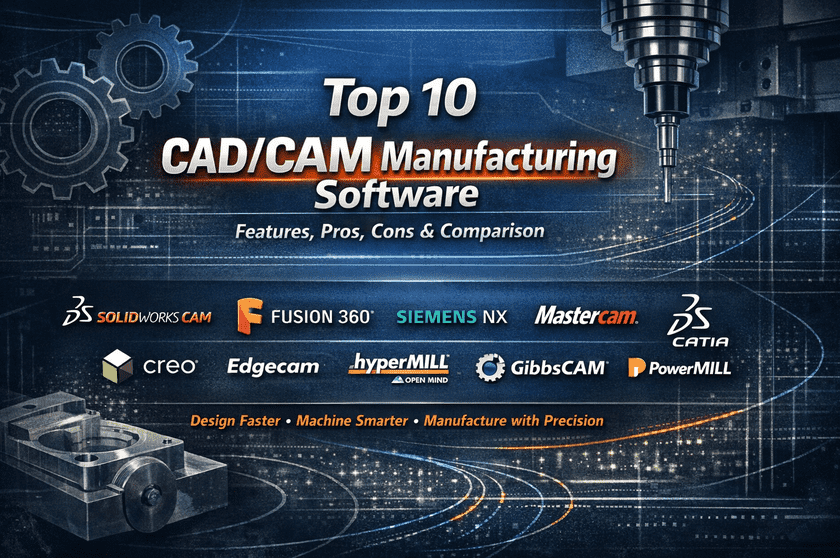
Top 10 CAD/CAM Manufacturing Software Tools
1 — SolidWorks CAM
SolidWorks CAM is an integrated CAM solution built directly into SolidWorks, designed for mechanical engineers and CNC programmers who want a seamless design-to-manufacturing workflow.
Key features
- Feature-based machining inside SolidWorks
- Automatic toolpath generation
- 2.5-axis and 3-axis machining support
- Knowledge-based machining rules
- CNC simulation and collision checking
- Native SolidWorks model associativity
Pros
- Smooth transition from CAD to CAM
- Familiar interface for SolidWorks users
- Strong automation for standard parts
Cons
- Limited advanced multi-axis capabilities
- Requires a SolidWorks license
Security & compliance
Varies / N/A (primarily desktop-based)
Support & community
Strong documentation, large user community, reseller-based enterprise support
2 — Fusion 360
Developed by Autodesk, Fusion 360 is a cloud-enabled CAD/CAM platform aimed at startups, SMBs, and modern product teams.
Key features
- Unified CAD, CAM, CAE, and PCB design
- 2D, 3D, and 5-axis machining
- Cloud collaboration and version control
- Generative design capabilities
- Simulation and toolpath optimization
- Frequent feature updates
Pros
- Excellent value for all-in-one functionality
- Strong CAM for CNC and additive manufacturing
- Ideal for collaborative teams
Cons
- Internet dependency for some workflows
- Subscription-only pricing
Security & compliance
Encryption in transit and at rest, enterprise SSO options
Support & community
Extensive tutorials, active global community, professional support plans
3 — Siemens NX
Siemens NX is a high-end CAD/CAM/CAE platform used by large manufacturers with complex engineering and machining requirements.
Key features
- Advanced surface and solid modeling
- High-end multi-axis CAM (up to 5-axis+)
- Digital twin and simulation integration
- Complex assembly handling
- Enterprise PLM integration
- Automation and customization
Pros
- Extremely powerful for complex manufacturing
- Industry-proven in aerospace and automotive
- Highly scalable
Cons
- Steep learning curve
- High licensing and implementation cost
Security & compliance
Enterprise-grade security, ISO-aligned processes
Support & community
Premium enterprise support, certified training ecosystem
4 — Mastercam
Mastercam is one of the most widely used CAM-focused tools in CNC machining environments.
Key features
- 2D, 3D, and multi-axis machining
- Advanced toolpath control
- Extensive post-processor library
- Toolpath verification and simulation
- Strong CNC machine compatibility
Pros
- Excellent machining precision
- Large CNC-focused user base
- Proven reliability
Cons
- CAD capabilities are limited
- Interface feels dated to some users
Security & compliance
Varies / N/A
Support & community
Strong reseller network, extensive training resources
5 — CATIA
Developed by Dassault Systèmes, CATIA is a premium CAD/CAM solution used for highly complex product and manufacturing design.
Key features
- Advanced surface modeling
- Integrated CAD, CAM, and CAE
- Large assembly management
- High-precision manufacturing workflows
- PLM integration
Pros
- Best-in-class surface modeling
- Ideal for aerospace and automotive
- Extremely robust
Cons
- Very expensive
- Long onboarding time
Security & compliance
Enterprise-grade security, ISO-aligned environments
Support & community
Enterprise support, professional training programs
6 — Creo
Creo is a powerful CAD/CAM platform focused on parametric modelling and manufacturing automation.
Key features
- Parametric and direct modeling
- Integrated CAM and simulation
- Model-based definition (MBD)
- Advanced manufacturing extensions
- AR-assisted design validation
Pros
- Strong parametric design
- Excellent manufacturing extensions
- Scales well for enterprises
Cons
- UI is less intuitive for beginners
- Higher cost than mid-range tools
Security & compliance
Enterprise security standards supported
Support & community
Professional support, structured learning paths
7 — Edgecam
Edgecam is a CAM-centric solution designed for production machining efficiency.
Key features
- Automated machining strategies
- Feature recognition
- CNC simulation and verification
- Multi-axis support
- Tool management
Pros
- Efficient for repetitive machining
- Good automation capabilities
- Strong shop-floor focus
Cons
- Limited CAD functionality
- Smaller ecosystem
Security & compliance
Varies / N/A
Support & community
Solid documentation, reseller-driven support
8 — HyperMill
HyperMill is a high-performance CAM software focused on advanced and 5-axis machining.
Key features
- High-speed machining algorithms
- Advanced 5-axis strategies
- Collision avoidance technology
- Integrated simulation
- Toolpath optimization
Pros
- Exceptional surface finish quality
- Ideal for complex moulds and dies
- Highly accurate
Cons
- Premium pricing
- CAM-only focus
Security & compliance
Enterprise-ready, varies by deployment
Support & community
Professional training, expert CAM community
9 — GibbsCAM
GibbsCAM is known for its ease of use and strong CNC programming capabilities.
Key features
- Intuitive CAM interface
- Multi-task machining support
- Solid and surface machining
- CNC simulation
- Wide machine compatibility
Pros
- Short learning curve
- Reliable CNC output
- Good for mixed-skill teams
Cons
- Limited advanced CAD features
- Less suited for complex assemblies
Security & compliance
Varies / N/A
Support & community
Good documentation, responsive support
10 — PowerMill
PowerMill is a specialised CAM tool focused on complex and high-speed machining.
Key features
- Advanced toolpath strategies
- 3-axis to 5-axis machining
- Excellent surface finish control
- Simulation and verification
- Automation scripting
Pros
- Outstanding machining quality
- Ideal for moulds and dies
- High performance
Cons
- No native CAD
- Expensive licensing
Security & compliance
Enterprise security options available
Support & community
Professional support, expert CAM user base
Comparison Table
| Tool Name | Best For | Platform(s) Supported | Standout Feature | Rating |
|---|---|---|---|---|
| SolidWorks CAM | Mechanical engineers | Windows | CAD-CAM integration | N/A |
| Fusion 360 | SMBs & startups | Windows, macOS | Cloud-based all-in-one | N/A |
| Siemens NX | Large enterprises | Windows | High-end manufacturing | N/A |
| Mastercam | CNC shops | Windows | Precision toolpaths | N/A |
| CATIA | Aerospace & auto | Windows | Surface modeling | N/A |
| Creo | Enterprise design | Windows | Parametric depth | N/A |
| Edgecam | Production machining | Windows | Automation | N/A |
| HyperMill | Advanced machining | Windows | 5-axis performance | N/A |
| GibbsCAM | Mixed-skill teams | Windows | Ease of use | N/A |
| PowerMill | Mold & die | Windows | Surface finish | N/A |
Evaluation & Scoring of CAD/CAM Manufacturing Software
| Criteria | Weight | Evaluation Focus |
|---|---|---|
| Core features | 25% | CAD depth, CAM strategies |
| Ease of use | 15% | Learning curve, UI |
| Integrations & ecosystem | 15% | PLM, ERP, simulation |
| Security & compliance | 10% | Enterprise readiness |
| Performance & reliability | 10% | Stability, speed |
| Support & community | 10% | Training, support |
| Price / value | 15% | ROI, licensing flexibility |
Which CAD/CAM Manufacturing Software Tool Is Right for You?
- Solo users & small shops: Fusion 360, GibbsCAM
- SMBs: SolidWorks CAM, Mastercam
- Mid-market manufacturers: Creo, Edgecam
- Large enterprises: Siemens NX, CATIA
Budget-conscious users should prioritise Fusion 360 or SolidWorks CAM, while premium environments benefit from NX or CATIA. Teams needing simplicity should favour intuitive tools, while complex manufacturing demands feature depth and scalability.
Frequently Asked Questions (FAQs)
- Is CAD/CAM software mandatory for CNC machining?
Yes, it significantly improves accuracy, repeatability, and efficiency. - Can one tool handle both CAD and CAM?
Many modern tools combine both, but depth varies. - Is cloud-based CAD/CAM secure?
Leading vendors use encryption and enterprise security standards. - How long does implementation take?
From days for SMB tools to months for enterprise platforms. - Are these tools suitable for education?
Yes, many offer academic licensing. - Do I need powerful hardware?
High-end tools benefit from strong CPUs and GPUs. - Can CAD/CAM reduce material waste?
Yes, optimised toolpaths reduce scrap. - What is the biggest mistake buyers make?
Choosing overly complex tools without matching needs. - Are subscriptions better than perpetual licenses?
Depends on the budget and upgrade needs. - Is training essential?
Absolutely—training unlocks full value.
Conclusion
CAD/CAM manufacturing software is a critical investment for modern production environments. The right tool improves design accuracy, machining efficiency, and overall product quality. There is no single “best” solution for everyone—success depends on matching software capabilities to your team size, budget, manufacturing complexity, and long-term goals. By evaluating tools carefully and focusing on real-world needs, manufacturers can achieve measurable gains in productivity and competitiveness.