Introduction
3D Scan & Photogrammetry Software refers to digital tools that transform real-world objects, environments, or structures into accurate 3D models using data from cameras, scanners, drones, or depth sensors. These tools analyse images or point-cloud data to reconstruct geometry, textures, and spatial relationships in three dimensions.
In today’s digital-first world, this technology plays a crucial role across engineering, construction, manufacturing, gaming, film, healthcare, cultural heritage, e-commerce, and digital twins. From scanning industrial parts for quality control to creating immersive virtual environments, 3D scanning and photogrammetry bridge the physical and digital worlds.
When evaluating software in this category, users should consider:
- Accuracy and reconstruction quality
- Ease of data capture and processing
- Supported hardware and file formats
- Performance on large datasets
- Integration with CAD, BIM, and 3D pipelines
- Security, compliance, and collaboration features
- Pricing and long-term value
Best for
3D Scan & Photogrammetry Software is ideal for:
- Architects, civil engineers, and surveyors
- Product designers and manufacturing teams
- Game developers, VFX artists, and animators
- Drone operators and geospatial professionals
- Research institutions and cultural heritage teams
- Mid-size to large enterprises building digital twins
Not ideal for
These tools may not be necessary for:
- Users needing only basic 2D measurements
- Small teams without 3D workflows
- Projects where manual CAD modeling is faster
- Organizations lacking the hardware or skills to process large datasets
Top 10 3D Scan & Photogrammetry Software Tools
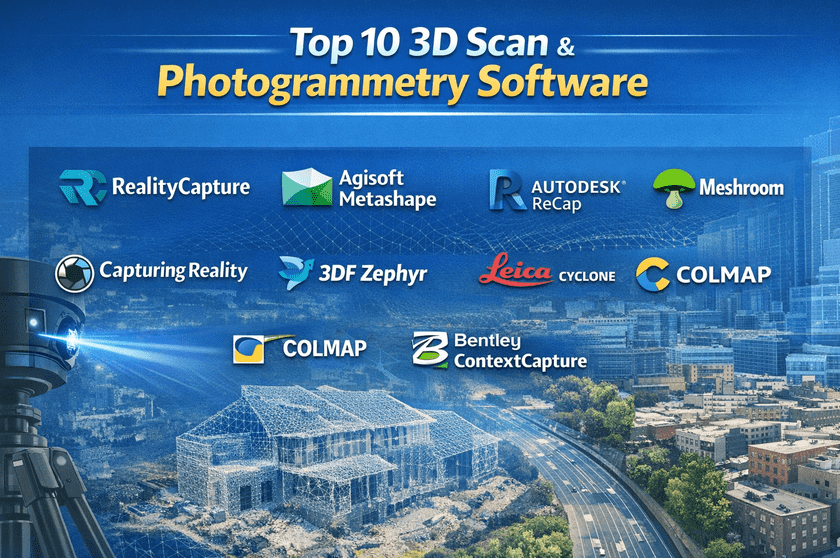
1 — RealityCapture
Short description:
A high-performance photogrammetry solution optimised for fast processing of large image datasets. Widely used in surveying, film, and game development.
Key features
- Extremely fast photogrammetry engine
- High-accuracy mesh and texture generation
- Supports drone, DSLR, and LiDAR data
- Advanced control points and georeferencing
- Scales well for large projects
- Export to common 3D and GIS formats
Pros
- Industry-leading processing speed
- Excellent output quality for large scenes
- Suitable for professional pipelines
Cons
- Steep learning curve for beginners
- The licensing model may be complex
Security & compliance:
Basic data security; enterprise compliance varies by deployment.
Support & community:
Strong documentation, professional user base, and active industry adoption.
2 — Agisoft Metashape
Short description:
A well-established photogrammetry platform known for scientific accuracy and flexibility across industries.
Key features
- Image-based 3D reconstruction
- Dense point cloud generation
- DEM and orthomosaic creation
- Python scripting support
- Geospatial accuracy tools
- Cross-platform support
Pros
- Highly accurate results
- Trusted in research and academia
- Flexible workflows
Cons
- UI feels technical
- Slower processing compared to newer engines
Security & compliance:
Local processing; compliance depends on the user environment.
Support & community:
Excellent documentation, strong academic and professional community.
3 — Autodesk ReCap
Short description:
A reality capture solution designed to integrate tightly with CAD and BIM workflows.
Key features
- Point cloud and scan processing
- Seamless BIM and CAD integration
- Supports laser scans and photos
- Automated feature extraction
- Cloud-assisted processing
- Measurement and annotation tools
Pros
- Ideal for architecture and construction
- Strong ecosystem integration
- Enterprise-ready workflows
Cons
- Best value only inside the Autodesk stack
- Subscription-based pricing
Security & compliance:
Enterprise-grade security, GDPR alignment, and role-based access.
Support & community:
Professional enterprise support, extensive learning resources.
4 — Meshroom
Short description:
An open-source photogrammetry tool powered by a node-based workflow for advanced users.
Key features
- Fully open-source
- Node-based visual pipeline
- High-quality reconstruction
- GPU acceleration
- Customizable processing steps
- No licensing cost
Pros
- Free and transparent
- Strong control for technical users
- Active open-source development
Cons
- Requires powerful hardware
- Not beginner-friendly
Security & compliance:
N/A (local, open-source tool).
Support & community:
Community-driven support, forums, and developer contributions.
5 — Polycam
Short description:
A mobile-first 3D scanning and photogrammetry solution designed for speed and accessibility.
Key features
- Mobile LiDAR and photo capture
- Instant cloud processing
- AR preview support
- Easy sharing and export
- Browser-based viewer
- Minimal setup required
Pros
- Extremely easy to use
- Ideal for quick scans
- No specialized hardware required
Cons
- Limited advanced controls
- Not ideal for very large projects
Security & compliance:
Cloud-based security; compliance varies by plan.
Support & community:
Good onboarding, responsive support, growing user base.
6 — Capturing Reality (Enterprise)
Short description:
An enterprise-focused version of high-end photogrammetry software tailored for large organisations.
Key features
- Massive dataset handling
- Enterprise deployment options
- Custom automation pipelines
- Advanced geospatial accuracy
- Dedicated hardware optimization
- Team collaboration workflows
Pros
- Built for scale
- High performance under heavy loads
- Suitable for digital twins
Cons
- High cost
- Overkill for small teams
Security & compliance:
Enterprise-grade security, GDPR, and audit controls available.
Support & community:
Dedicated enterprise support, onboarding assistance.
7 — 3DF Zephyr
Short description:
A user-friendly photogrammetry solution balancing ease of use with professional results.
Key features
- Automated reconstruction workflows
- Multiple accuracy presets
- Supports drones and handheld cameras
- Mesh editing tools
- CAD export options
- Affordable licensing tiers
Pros
- Beginner-friendly
- Good balance of quality and usability
- Flexible pricing
Cons
- Slower on massive datasets
- Fewer enterprise features
Security & compliance:
Local processing; compliance depends on the environment.
Support & community:
Helpful documentation, responsive support team.
8 — Leica Cyclone
Short description:
A professional-grade solution for laser scanning and point cloud management.
Key features
- Advanced point cloud processing
- Survey-grade accuracy
- Large-scale project support
- Registration and alignment tools
- CAD and BIM exports
- Hardware-optimized workflows
Pros
- Extremely accurate
- Trusted in the surveying industry
- Handles massive scans
Cons
- High learning curve
- Premium pricing
Security & compliance:
Enterprise security, role-based access, and compliance vary.
Support & community:
Strong professional training and enterprise support.
9 — COLMAP
Short description:
A research-oriented photogrammetry tool focused on structure-from-motion pipelines.
Key features
- Accurate camera pose estimation
- Sparse and dense reconstruction
- CLI-based workflows
- Academic-grade algorithms
- Customizable pipelines
- Open-source
Pros
- Extremely precise algorithms
- Free and open
- Popular in research
Cons
- No graphical UI
- Requires technical expertise
Security & compliance:
N/A (local open-source).
Support & community:
Academic community, research documentation.
10 — Bentley ContextCapture
Short description:
An enterprise photogrammetry solution built for infrastructure and smart city modeling.
Key features
- City-scale 3D modeling
- Drone and aerial imagery support
- Georeferenced reality meshes
- Infrastructure-grade accuracy
- Integration with digital twins
- Cloud and on-prem options
Pros
- Best for large infrastructure projects
- High-quality reality meshes
- Strong enterprise capabilities
Cons
- Expensive
- Requires skilled operators
Security & compliance:
Enterprise security and compliance frameworks are available.
Support & community:
Professional enterprise support and training programs.
Comparison Table
| Tool Name | Best For | Platform(s) Supported | Standout Feature | Rating |
|---|---|---|---|---|
| RealityCapture | Large-scale photogrammetry | Windows | Ultra-fast processing | N/A |
| Agisoft Metashape | Research & surveying | Windows, macOS, Linux | Scientific accuracy | N/A |
| Autodesk ReCap | AEC workflows | Windows | BIM integration | N/A |
| Meshroom | Open-source users | Windows, Linux | Node-based pipeline | N/A |
| Polycam | Mobile scanning | iOS, Web | Ease of use | N/A |
| Capturing Reality (Enterprise) | Large enterprises | Windows | Massive dataset handling | N/A |
| 3DF Zephyr | SMBs & freelancers | Windows | User-friendly workflows | N/A |
| Leica Cyclone | Surveying | Windows | Laser scan accuracy | N/A |
| COLMAP | Research | Windows, Linux | Algorithmic precision | N/A |
| Bentley ContextCapture | Infrastructure | Windows, Cloud | City-scale models | N/A |
Evaluation & Scoring of 3D Scan & Photogrammetry Software
| Criteria | Weight | Evaluation Notes |
|---|---|---|
| Core features | 25% | Reconstruction accuracy, output quality |
| Ease of use | 15% | UI, learning curve |
| Integrations & ecosystem | 15% | CAD, BIM, game engines |
| Security & compliance | 10% | Enterprise readiness |
| Performance & reliability | 10% | Speed, stability |
| Support & community | 10% | Documentation, help |
| Price / value | 15% | ROI and licensing flexibility |
Which 3D Scan & Photogrammetry Software Tool Is Right for You?
- Solo users: Prefer easy tools like Polycam or 3DF Zephyr
- SMBs: Balance cost and power with Metashape or Zephyr
- Mid-market: Look for ReCap or RealityCapture
- Enterprise: ContextCapture, Leica Cyclone, or Enterprise Reality solutions
Budget-conscious users should prioritise open-source or modular pricing, while premium users gain value from speed, scale, and compliance.
Frequently Asked Questions (FAQs)
- What is photogrammetry software used for?
It converts images into accurate 3D models for design, analysis, and visualisation. - Is LiDAR better than photogrammetry?
LiDAR offers higher accuracy; photogrammetry is more affordable and flexible. - Do I need a powerful computer?
Yes, especially for large datasets and high-resolution models. - Are mobile scanning apps accurate?
They are suitable for small objects and quick scans, not large infrastructure. - Can these tools integrate with CAD software?
Many support direct export to CAD and BIM formats. - Is open-source software reliable?
Yes, but it often requires more technical expertise. - How long does processing take?
From minutes to hours, depending on the dataset size and hardware. - Are these tools cloud-based?
Some offer cloud processing; others run fully locally. - What are common beginner mistakes?
Poor image overlap, inconsistent lighting, and weak hardware. - Is one tool best for everyone?
No, the best tool depends on workflow, budget, and scale.
Conclusion
3D Scan & Photogrammetry Software has become a foundational technology for industries that rely on accurate digital representations of the real world. While some tools prioritise speed and scale, others excel in scientific accuracy, ease of use, or enterprise compliance.
The most important takeaway is that there is no universal best tool. The right choice depends on your use case, team size, technical expertise, security needs, and budget. By clearly defining your goals and evaluating tools against those needs, you can confidently select a solution that delivers long-term value and reliable results.