Introduction
3D modelling tools are software applications used to create three-dimensional representations of objects, characters, environments, and systems. These digital models can be static or animated and are widely used across industries such as gaming, film, architecture, manufacturing, healthcare, education, and product design. At their core, 3D modelling tools allow users to design objects in a virtual space by defining geometry, textures, materials, lighting, and sometimes physics-based behaviour.
The importance of 3D modelling tools has grown rapidly with the rise of digital transformation, real-time visualisation, virtual reality (VR), augmented reality (AR), and advanced manufacturing techniques like 3D printing. Businesses now rely on 3D models to prototype products faster, reduce costs, visualise ideas before physical production, and collaborate across teams and geographies.
Real-world use cases include:
- Designing products before manufacturing
- Creating characters and environments for games and films
- Visualising buildings and interiors in architecture
- Simulating medical devices or anatomical structures
- Preparing models for 3D printing and CNC machining
When choosing a 3D modelling tool, users should evaluate:
- Modelling capabilities (polygonal, parametric, sculpting, procedural)
- Ease of use and learning curve
- Performance with complex models
- Integration with rendering, animation, and CAD tools
- Export formats and interoperability
- Pricing and licensing flexibility
- Security, compliance, and collaboration features
Best for:
3D modelling tools are ideal for designers, engineers, architects, game developers, filmmakers, educators, startups, SMEs, and large enterprises working in digital content creation, product design, simulation, and visualisation.
Not ideal for:
They may be unnecessary for teams that only need basic 2D graphics, static illustrations, or simple visual mockups. For non-visual workflows, diagramming or CAD-lite tools may be more efficient.
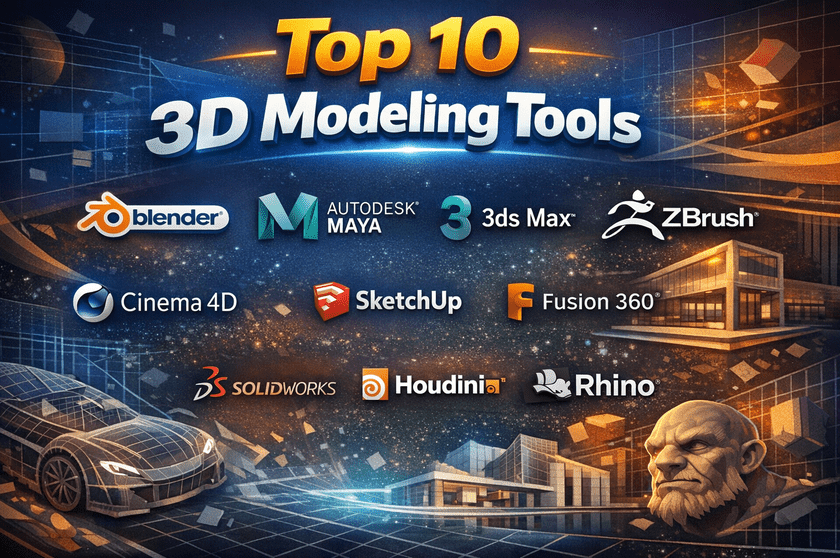
Top 10 3D Modeling Tools
1 — Blender
Short description:
Blender is a powerful, open-source 3D modelling and animation suite used by professionals and hobbyists alike. It supports the entire 3D pipeline from modelling to rendering and animation.
Key features
- Polygonal, sculpting, and procedural modelling
- Built-in rendering engines (real-time and ray tracing)
- Animation, rigging, and physics simulation
- Node-based material and shader editor
- Video editing and compositing tools
- Python scripting for automation
- Strong support for game engines
Pros
- Completely free and open-source
- Extremely feature-rich for a single tool
- Massive global community and learning resources
Cons
- Steep learning curve for beginners
- The interface can feel overwhelming initially
- Performance tuning is required for very large scenes
Security & compliance
- Varies / N/A (local software, no default cloud compliance)
Support & community
- Extensive documentation and tutorials
- Very large global user community
- Community-driven support and add-ons
2 — Autodesk Maya
Short description:
Autodesk Maya is an industry-standard 3D modelling and animation tool widely used in film, TV, and AAA game development.
Key features
- Advanced polygon and NURBS modelling,
- Industry-leading animation and rigging tools
- High-end simulation (cloth, hair, fluids)
- Strong scripting with MEL and Python
- Integration with major render engines
- Robust pipeline and asset management
Pros
- Industry-standard for animation workflows
- Extremely powerful for complex productions
- Excellent integration in studio pipelines
Cons
- Expensive licensing
- Requires powerful hardware
- Overkill for simple modelling needs
Security & compliance
- Enterprise-grade security
- Supports SSO and role-based access
- GDPR-compliant for cloud-connected services
Support & community
- Professional documentation and training
- Paid enterprise support
- Large professional user base
3 — Autodesk 3ds Max
Short description:
3ds Max is a professional 3D modelling and rendering tool focused on architecture, product visualisation, and game assets.
Key features
- Strong polygon and spline modelling
- Advanced modifiers and procedural workflows
- Industry-standard rendering integrations
- Excellent for architectural visualisation
- Scene management for large projects
- MAXScript and Python support
Pros
- Highly efficient for modelling workflows
- Widely used in architecture and design
- Stable and mature toolset
Cons
- Windows-only
- Subscription-based pricing
- Limited sculpting compared to alternatives
Security & compliance
- Enterprise security standards
- GDPR-aligned data handling
Support & community
- Official Autodesk support
- Extensive learning resources
- Large professional community
4 — ZBrush
Short description:
ZBrush is a digital sculpting tool designed for creating highly detailed organic models used in films, games, and collectibles.
Key features
- High-resolution sculpting with millions of polygons
- Dynamic tessellation technology
- Advanced brushes and detailing tools
- Powerful retopology features
- Texture painting and polypaint
- Integration with other 3D tools
Pros
- Best-in-class sculpting capabilities
- Handles extreme detail efficiently
- Industry standard for character modeling
Cons
- Non-traditional UI
- Limited for hard-surface modeling
- Requires complementary tools for full pipelines
Security & compliance
- Varies / N/A (local software)
Support & community
- Strong professional community
- Extensive tutorials and training
- Vendor-backed support
5 — Cinema 4D
Short description:
Cinema 4D is known for its ease of use and motion graphics capabilities, popular in advertising and broadcast design.
Key features
- Intuitive interface and workflows
- MoGraph tools for procedural animation
- Powerful rendering integrations
- Non-destructive modeling
- Seamless integration with motion design tools
- Real-time viewport performance
Pros
- Very beginner-friendly
- Excellent for motion graphics
- Stable and predictable workflows
Cons
- Premium pricing
- Less suitable for heavy sculpting
- Smaller ecosystem than Autodesk tools
Security & compliance
- Enterprise-ready licensing
- GDPR-compliant vendor policies
Support & community
- High-quality documentation
- Paid professional support
- Active creative community
6 — SketchUp
Short description:
SketchUp is a lightweight and intuitive 3D modelling tool mainly used for architecture, interior design, and conceptual modelling.
Key features
- Simple push-pull modelling approach
- Fast conceptual design workflows
- Large library of pre-built models
- Easy learning curve
- Web and desktop versions
- Strong architectural plugins
Pros
- Very easy to learn
- Fast for conceptual modelling
- Affordable compared to enterprise tools
Cons
- Limited advanced modelling tools
- Not ideal for complex geometry
- Requires extensions for professional workflows
Security & compliance
- Basic cloud security controls
- GDPR-compliant data handling
Support & community
- Good documentation
- Large architectural user base
- Plugin-driven ecosystem
7 — Fusion 360
Short description:
Fusion 360 is a cloud-enabled CAD and 3D modelling tool focused on product design, engineering, and manufacturing.
Key features
- Parametric and direct modeling
- Integrated simulation and CAM
- Cloud-based collaboration
- Version control and history tracking
- Strong 3D printing support
- Engineering-grade precision
Pros
- Excellent for product design
- Combines CAD, CAM, and CAE
- Strong collaboration features
Cons
- Requires internet for some features
- Less suitable for artistic modelling
- Subscription-based licensing
Security & compliance
- Cloud encryption
- Role-based access
- Enterprise-grade compliance standards
Support & community
- Official training and certification
- Active engineering community
- Enterprise support available
8 — SolidWorks
Short description:
SolidWorks is a professional CAD-based 3D modelling tool widely used in mechanical engineering and manufacturing.
Key features
- Parametric solid modelling
- Assembly and motion simulation
- Detailed technical drawings
- Manufacturing-ready outputs
- Strong PDM integration
- Industry compliance support
Pros
- Highly accurate and reliable
- Industry standard for engineering
- Excellent documentation and standards support
Cons
- Expensive licensing
- Steep learning curve
- Limited artistic modelling features
Security & compliance
- ISO-aligned workflows
- Enterprise security controls
- Compliance-focused data management
Support & community
- Certified training programs
- Strong enterprise support
- Large engineering community
9 — Houdini
Short description:
Houdini is a procedural 3D modelling and simulation tool used for visual effects and complex simulations.
Key features
- Node-based procedural workflows
- Advanced simulations (smoke, fire, fluids)
- Non-destructive modeling
- Scales well for large productions
- Deep customization
- Studio-grade pipelines
Pros
- Extremely powerful for VFX
- Highly scalable and flexible
- Ideal for procedural content
Cons
- Very steep learning curve
- Overkill for basic modeling
- Requires strong technical knowledge
Security & compliance
- Varies / N/A (primarily local workflows)
Support & community
- Strong professional user base
- Advanced documentation
- Paid studio support available
10 — Rhino 3D
Short description:
Rhino 3D specialises in precision modelling using NURBS, widely used in industrial design and architecture.
Key features
- High-precision NURBS modelling
- Lightweight and fast
- Strong interoperability
- Scriptable with multiple languages
- Popular in industrial design
- Accurate geometry handling
Pros
- Extremely precise modeling
- Affordable compared to CAD tools
- Flexible and lightweight
Cons
- Limited rendering and animation
- Basic UI compared to modern tools
- Requires plugins for advanced workflows
Security & compliance
- Varies / N/A (desktop software)
Support & community
- Strong design community
- Extensive plugin ecosystem
- Good documentation
Comparison Table
| Tool Name | Best For | Platform(s) Supported | Standout Feature | Rating |
|---|---|---|---|---|
| Blender | General-purpose 3D creation | Windows, macOS, Linux | Free full pipeline | N/A |
| Autodesk Maya | Film & game animation | Windows, macOS | Industry animation standard | N/A |
| 3ds Max | Architecture & visualization | Windows | Modifier-based modeling | N/A |
| ZBrush | High-detail sculpting | Windows, macOS | Extreme polygon sculpting | N/A |
| Cinema 4D | Motion graphics | Windows, macOS | MoGraph system | N/A |
| SketchUp | Conceptual architecture | Web, Windows, macOS | Ease of use | N/A |
| Fusion 360 | Product design & CAM | Windows, macOS | CAD + CAM integration | N/A |
| SolidWorks | Mechanical engineering | Windows | Parametric CAD | N/A |
| Houdini | VFX & procedural modeling | Windows, macOS, Linux | Procedural workflows | N/A |
| Rhino 3D | Precision modeling | Windows, macOS | NURBS accuracy | N/A |
Evaluation & Scoring of 3D Modelling Tools
| Criteria | Weight | Blender | Maya | 3ds Max | ZBrush | Cinema 4D |
|---|---|---|---|---|---|---|
| Core features | 25% | High | Very High | High | Very High | High |
| Ease of use | 15% | Medium | Medium | Medium | Low | High |
| Integrations & ecosystem | 15% | High | Very High | High | Medium | High |
| Security & compliance | 10% | N/A | High | High | N/A | Medium |
| Performance & reliability | 10% | High | Very High | High | High | High |
| Support & community | 10% | Very High | High | High | High | Medium |
| Price / value | 15% | Very High | Medium | Medium | Medium | Medium |
Which 3D Modelling Tool Is Right for You?
- Solo users & beginners: Blender, SketchUp, Cinema 4D
- SMBs & startups: Blender, Fusion 360, Rhino 3D
- Mid-market teams: Cinema 4D, 3ds Max, Fusion 360
- Enterprise studios: Maya, Houdini, SolidWorks
Budget-conscious users: Blender offers unmatched value.
Premium users: Maya, Houdini, and SolidWorks provide deep capabilities.
Ease of use: SketchUp and Cinema 4D excel.
Feature depth: Maya, Houdini, and Blender lead.
Security & compliance: Enterprise CAD tools are better suited.
Frequently Asked Questions (FAQs)
1. Are 3D modelling tools difficult to learn?
Some tools have steep learning curves, but many offer beginner-friendly workflows and tutorials.
2. Can one tool handle modelling, animation, and rendering?
Yes, full-suite tools can manage the entire pipeline.
3. Are free tools viable for professional work?
Yes, open-source tools are used in professional productions.
4. Which tool is best for 3D printing?
Engineering-focused tools and precise modellers work best.
5. Do I need powerful hardware?
Complex models benefit from strong CPUs and GPUs.
6. Are cloud-based tools secure?
Most enterprise tools use encryption and access controls.
7. Can teams collaborate in real time?
Some tools support cloud collaboration and version control.
8. What is the biggest mistake beginners make?
Choosing overly complex tools without understanding requirements.
9. Is CAD different from artistic modelling?
Yes, CAD focuses on precision, and artistic tools focus on visuals.
10. Can I switch tools later?
Yes, but data migration may require conversion or cleanup.
Conclusion
3D modelling tools are essential for modern digital creation, enabling professionals to visualise, prototype, and produce high-quality assets across industries. The right tool depends on your goals, skill level, budget, and industry requirements. Some users need precision and compliance, others need creative freedom and speed.
There is no single “best” 3D modelling tool for everyone. The best choice is the one that aligns with your workflow, integrates with your ecosystem, and supports your long-term growth. By focusing on real needs rather than hype, you can confidently select a tool that delivers real value.