Introduction
3D CAD (Computer-Aided Design) software is a class of professional tools used to create precise three-dimensional models of physical objects. These models are used to design, visualise, simulate, and document products before they are manufactured or constructed. Unlike simple drawing tools, 3D CAD software enables parametric modelling, assemblies, constraints, tolerances, and real-world simulations that mirror how products behave in practice.
3D CAD software plays a critical role in modern engineering, manufacturing, architecture, product design, automotive, aerospace, healthcare devices, and consumer goods. It helps reduce errors, lower production costs, shorten development cycles, and improve collaboration across teams.
Real-world use cases include:
- Mechanical part and assembly design
- Architectural and structural modeling
- Product prototyping and visualization
- CNC machining and 3D printing preparation
- Simulation, stress analysis, and digital twins
When choosing a 3D CAD tool, users should evaluate:
- Modelling depth (parametric, surface, solid, direct modelling)
- Ease of use and learning curve
- Performance on large assemblies
- Collaboration and file compatibility
- Integration with manufacturing and simulation workflows
- Licensing cost and long-term value
Best for:
Mechanical engineers, product designers, manufacturers, architects, industrial designers, startups building physical products, mid-size engineering teams, and large enterprises with complex design workflows.
Not ideal for:
Users needing only simple 2D drafting, casual hobby sketching, or teams working entirely in non-mechanical domains where lightweight visualization tools are sufficient.
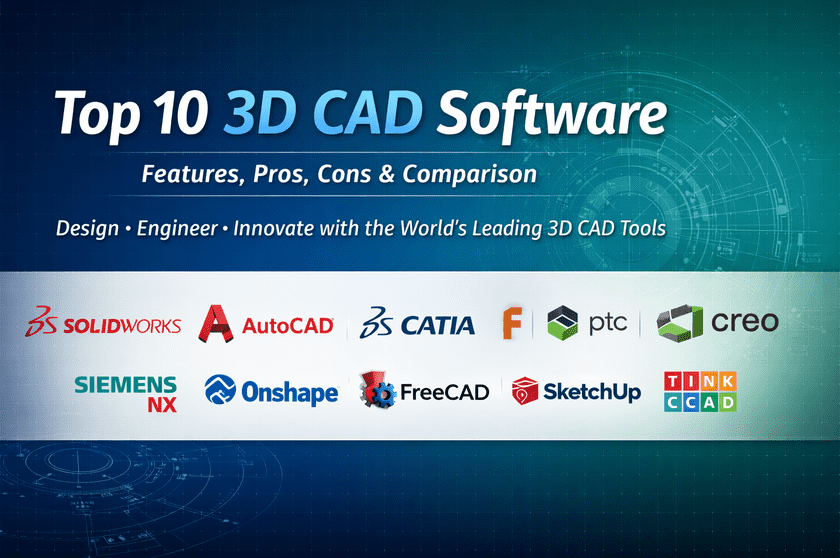
Top 10 3D CAD Software Tools
1 — SolidWorks
Short description
A flagship parametric 3D CAD platform widely used in mechanical engineering, manufacturing, and product design across industries.
Key features
- Parametric solid and surface modelling
- Advanced assembly management
- Integrated simulation and motion analysis
- Sheet metal and weldment tools
- CAM and manufacturing add-ons
- Drawing automation and BOM management
Pros
- Industry-standard with massive adoption
- Excellent balance of power and usability
- Strong manufacturing ecosystem
Cons
- High licensing and maintenance cost
- Resource-intensive on older systems
Security & compliance
SSO support, role-based access, enterprise security controls; compliance varies by deployment.
Support & community
Extensive documentation, training ecosystem, global user community, and strong enterprise support.
2 — AutoCAD
Short description
A versatile CAD tool best known for drafting, extended with 3D modelling for architecture, engineering, and construction workflows.
Key features
- 2D drafting and annotation
- Basic 3D solid and surface modelling
- Industry-specific toolsets
- File compatibility across formats
- Custom scripting and automation
Pros
- Extremely widely used and recognised
- Excellent interoperability
- Strong drafting capabilities
Cons
- Limited advanced 3D modeling
- Not ideal for complex mechanical assemblies
Security & compliance
Enterprise authentication, encryption, and GDPR compliance; details vary by license.
Support & community
Large documentation base, training programs, strong professional community.
3 — CATIA
Short description
A high-end 3D CAD and PLM solution designed for complex systems in aerospace, automotive, and large-scale engineering.
Key features
- Advanced surface and solid modeling
- Systems engineering support
- Large assembly performance
- Digital mock-up and simulation
- Full PLM integration
Pros
- Extremely powerful and scalable
- Best-in-class surface modeling
- Ideal for complex products
Cons
- Very steep learning curve
- Expensive and enterprise-focused
Security & compliance
Enterprise-grade security, access control, and compliance certifications vary by deployment.
Support & community
Professional enterprise support, formal training, smaller but expert-level community.
4 — Fusion 360
Short description
A cloud-connected CAD, CAM, and CAE platform aimed at startups, makers, and modern product teams.
Key features
- Parametric and direct modeling
- Integrated CAM and simulation
- Cloud collaboration
- Version control and history
- Generative design
Pros
- All-in-one design to manufacturing
- Affordable compared to enterprise tools
- Excellent for agile teams
Cons
- Internet dependency for some workflows
- Performance limits for very large assemblies
Security & compliance
Cloud encryption, access controls, and GDPR alignment.
Support & community
Strong online documentation, active community forums, and responsive onboarding.
5 — PTC Creo
Short description
A professional-grade parametric CAD system focused on robust engineering, simulation, and IoT-driven design.
Key features
- Advanced parametric modeling
- Direct modelling flexibility
- Integrated simulation tools
- Additive manufacturing support
- Augmented reality visualisation
Pros
- Excellent performance for complex models
- Strong simulation accuracy
- Scales well for enterprises
Cons
- UI feels complex for beginners
- Higher learning investment
Security & compliance
Enterprise security, SSO, role management; compliance varies.
Support & community:
Enterprise-level support, structured learning, professional user base.
6 — Siemens NX
Short description
A comprehensive CAD/CAM/CAE system built for high-end manufacturing and advanced engineering environments.
Key features
- Integrated CAD, CAM, and CAE
- Advanced surface modeling
- Large assembly handling
- Digital twin capabilities
- Manufacturing automation
Pros
- Exceptional performance and precision
- Strong end-to-end lifecycle support
- Used by top manufacturers
Cons
- Very high cost
- Requires specialized training
Security & compliance
Enterprise-grade controls, audit capabilities, and compliance depend on configuration.
Support & community:
Professional enterprise support, smaller but expert user base.
7 — Onshape
Short description
A fully cloud-native CAD platform designed for real-time collaboration and modern distributed teams.
Key features
- Browser-based CAD modelling
- Real-time multi-user collaboration
- Built-in version control
- No local installation required
- Secure cloud architecture
Pros
- Excellent collaboration experience
- Eliminates file version conflicts
- Works on modest hardware
Cons
- Internet required
- Less mature for extreme complexity
Security & compliance
Strong encryption, SOC 2, SSO, and GDPR support.
Support & community:
Clear documentation, growing community, enterprise support options.
8 — FreeCAD
Short description
An open-source parametric 3D CAD tool suitable for hobbyists, educators, and small engineering projects.
Key features
- Parametric modeling
- Modular workbench architecture
- Scriptable via Python
- Cross-platform support
- Open file formats
Pros
- Free and open source
- Highly customizable
- Strong educational value
Cons
- UI less polished
- Performance limitations on large models
Security & compliance
N/A (local open-source software).
Support & community:
Community-driven documentation, forums, volunteer support.
9 — SketchUp
Short description
A user-friendly 3D modelling tool popular in architecture, interior design, and conceptual visualisation.
Key features
- Intuitive push-pull modelling
- Large asset library
- Fast conceptual design
- Layout tools for documentation
- Plugin ecosystem
Pros
- Very easy to learn
- Ideal for conceptual work
- Large user community
Cons
- Limited precision for engineering
- Not ideal for manufacturing
Security & compliance
Basic security controls; varies by edition.
Support & community
Extensive tutorials, active community, and commercial support are available.
10 — Tinkercad
Short description
A beginner-friendly web-based 3D CAD tool focused on education and simple modelling.
Key features
- Browser-based modeling
- Drag-and-drop primitives
- STL export for 3D printing
- Electronics and code simulations
- Educational focus
Pros
- Extremely easy to use
- Ideal for beginners and students
- No installation needed
Cons
- Very limited advanced features
- Not suitable for professional work
Security & compliance
Standard cloud security; educational compliance varies.
Support & community
Basic documentation, strong educational resources.
Comparison Table
| Tool Name | Best For | Platform(s) Supported | Standout Feature | Rating |
|---|---|---|---|---|
| SolidWorks | Mechanical engineering | Windows | Industry-standard parametric CAD | N/A |
| AutoCAD | Drafting & general CAD | Windows, macOS | Universal CAD compatibility | N/A |
| CATIA | Aerospace & automotive | Windows | Advanced surface modeling | N/A |
| Fusion 360 | Startups & makers | Windows, macOS | CAD + CAM + CAE in one | N/A |
| PTC Creo | Enterprise engineering | Windows | Robust parametric control | N/A |
| Siemens NX | Manufacturing giants | Windows | End-to-end lifecycle | N/A |
| Onshape | Distributed teams | Browser | Real-time collaboration | N/A |
| FreeCAD | Open-source users | Windows, macOS, Linux | Free parametric modeling | N/A |
| SketchUp | Architecture & design | Windows, macOS | Fast conceptual modeling | N/A |
| Tinkercad | Education & beginners | Browser | Ultra-simple interface | N/A |
Evaluation & Scoring of 3D CAD Software
| Criteria | Weight | Description |
|---|---|---|
| Core features | 25% | Modeling depth, assemblies, simulation |
| Ease of use | 15% | Learning curve, UI clarity |
| Integrations & ecosystem | 15% | CAM, PLM, plugins |
| Security & compliance | 10% | Enterprise readiness |
| Performance & reliability | 10% | Stability and speed |
| Support & community | 10% | Documentation and help |
| Price / value | 15% | Cost vs capability |
Which 3D CAD Software Tool Is Right for You?
- Solo users & hobbyists: FreeCAD, Tinkercad, SketchUp
- SMBs & startups: Fusion 360, Onshape
- Mid-market engineering teams: SolidWorks, PTC Creo
- Large enterprises: CATIA, Siemens NX
Budget-conscious users should prioritise open-source or bundled solutions.
Premium users should focus on scalability and advanced simulation.
Ease of use matters for small teams; feature depth matters for complex products.
Security and compliance become critical at enterprise scale.
Frequently Asked Questions (FAQs)
1. What is 3D CAD software used for?
It is used to design, simulate, and document physical products in three dimensions before manufacturing.
2. Is 3D CAD only for engineers?
No, it is also used by architects, designers, educators, and product teams.
3. Can beginners learn 3D CAD easily?
Yes, beginner-friendly tools exist, but professional CAD requires time and practice.
4. Is cloud-based CAD secure?
Modern cloud CAD platforms use strong encryption and access controls.
5. Do I need a powerful computer?
High-end CAD benefits from strong hardware, but cloud tools reduce local requirements.
6. Are free CAD tools good enough?
They work well for learning and small projects but have limits for enterprise use.
7. Can CAD files be shared across tools?
Most tools support common exchange formats, though compatibility varies.
8. What is parametric modelling?
It allows designs to update automatically when dimensions or parameters change.
9. How important is simulation in CAD?
Simulation helps validate designs early, reducing costly errors later.
10. Is there one best CAD tool for everyone?
No, the best tool depends on use case, budget, and skill level.
Conclusion
3D CAD software is the foundation of modern product design and engineering. From simple conceptual models to highly complex industrial systems, these tools enable accuracy, efficiency, and collaboration across industries.
When choosing a 3D CAD platform, focus on what matters most for your workflow: modelling depth, ease of use, performance, integrations, security, and long-term value. There is no single universal winner—only the right fit for your specific needs.
The best decision is the one that aligns with your team’s skills, project complexity, and future growth.