Introduction
A Wiki is a collaborative knowledge-sharing platform that allows teams to create, organise, update, and access information collectively. Unlike static documents or scattered files, wikis centralise institutional knowledge in a structured, searchable, and continuously evolving format. They serve as a single source of truth for processes, policies, technical documentation, onboarding guides, FAQs, and institutional memory.
In today’s fast-moving, distributed work environments, wikis are essential. They reduce dependency on individuals, prevent knowledge loss, improve cross-team alignment, and significantly cut down time wasted searching for information. From startups documenting early processes to large enterprises managing complex operational knowledge, wikis enable scalable collaboration.
Common real-world use cases include:
- Employee onboarding and training manuals
- Product and engineering documentation
- Internal policies and SOPs
- Customer-facing help content
- Research, notes, and project knowledge hubs
When choosing a wiki tool, buyers should evaluate ease of editing, content structure, permissions, search quality, integrations, scalability, and security controls. The right wiki blends simplicity with governance, allowing content to grow without becoming chaotic.
Best for:
Wikis are ideal for product teams, engineering teams, HR, IT, support teams, educators, startups, SMBs, and enterprises that rely on shared knowledge and frequent documentation updates.
Not ideal for:
Teams needing only short-term notes, real-time chat, or file-only storage may find simpler note-taking tools or document repositories more suitable than a full wiki system.
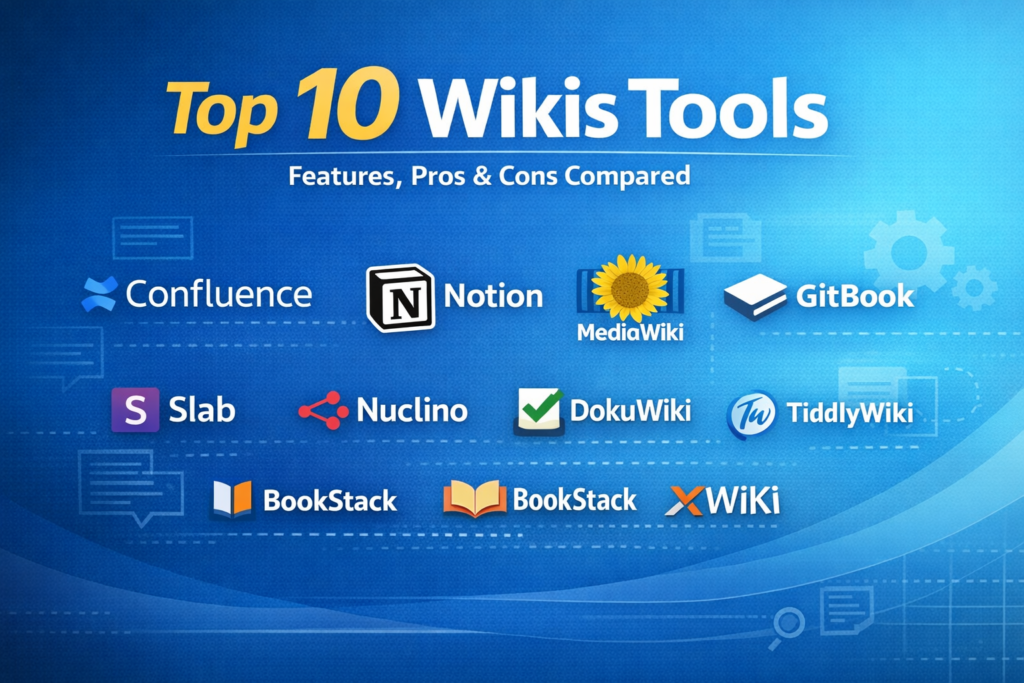
Top 10 Wiki Tools
1 — Confluence
Short description:
A powerful enterprise-grade wiki designed for structured team collaboration and deep documentation, especially popular among engineering and product teams.
Key features:
- Rich page editor with templates
- Page hierarchy and spaces
- Advanced permissions and roles
- Inline comments and collaboration
- Version history and rollback
- Deep integration with issue-tracking tools
Pros:
- Highly structured and scalable
- Excellent for technical documentation
- Strong enterprise adoption
Cons:
- Can feel complex for small teams
- Performance may slow with large instances
Security & compliance:
SSO, encryption at rest and in transit, audit logs, GDPR, SOC 2, ISO standards.
Support & community:
Extensive documentation, large global community, enterprise-level support options.
2 — Notion
Short description:
A flexible, all-in-one workspace combining wikis, documents, databases, and project management in a single interface.
Key features:
- Block-based content editing
- Databases within wiki pages
- Real-time collaboration
- Templates for teams and projects
- Cross-linked pages
- Powerful search
Pros:
- Extremely flexible and intuitive
- Great for both personal and team use
- Clean, modern interface
Cons:
- Permissions are less granular
- Can become unstructured without discipline
Security & compliance:
SSO (enterprise), encryption, GDPR, SOC 2 Type II.
Support & community:
Strong documentation, active user community, responsive support.
3 — MediaWiki
Short description:
An open-source wiki platform known for powering large public knowledge bases and content-heavy documentation systems.
Key features:
- Open-source and customizable
- Extensive plugin ecosystem
- Scalable content management
- Version tracking
- Markup-based editing
- Multilingual support
Pros:
- Highly scalable and flexible
- No licensing costs
- Strong for public or community wikis
Cons:
- Requires technical setup and maintenance
- Less intuitive editor by default
Security & compliance:
Varies by hosting and configuration.
Support & community:
Large open-source community, extensive forums and documentation.
4 — GitBook
Short description:
A documentation-focused wiki designed primarily for developers and technical teams creating structured knowledge bases.
Key features:
- Markdown-based editor
- Version control support
- Clean documentation layout
- Collaboration and reviews
- API documentation features
- Publishing workflows
Pros:
- Excellent for technical docs
- Clean and readable output
- Developer-friendly
Cons:
- Limited for non-technical teams
- Customisation can be restricted
Security & compliance:
SSO, encryption, and GDPR compliance.
Support & community:
Good documentation, responsive support, growing developer community.
5 — Slab
Short description:
A modern internal wiki focused on clarity, simplicity, and structured team knowledge sharing.
Key features:
- Clean editor with formatting tools
- Topic-based content organisation
- Strong search functionality
- Inline comments
- Access controls
- Analytics on content usage
Pros:
- Very easy to adopt
- Excellent search experience
- Minimal clutter
Cons:
- Fewer advanced customisation options
- Smaller ecosystem
Security & compliance:
SSO, encryption, SOC 2, GDPR.
Support & community:
High-quality documentation, friendly support, smaller but engaged community.
6 — Nuclino
Short description:
A lightweight, fast wiki built for teams that value speed, simplicity, and real-time collaboration.
Key features:
- Real-time collaborative editing
- Graph view for content relationships
- Minimalist interface
- Version history
- Search and tagging
- Keyboard-centric workflows
Pros:
- Extremely fast and intuitive
- Low learning curve
- Great for small teams
Cons:
- Limited advanced permissions
- Not ideal for large enterprises
Security & compliance:
Encryption, GDPR, and advanced compliance vary.
Support & community:
Helpful documentation, responsive support, smaller user base.
7 — DokuWiki
Short description:
A simple, file-based open-source wiki that does not require a database, ideal for self-hosted environments.
Key features:
- Flat-file storage
- Access control lists
- Plugin system
- Versioning
- Lightweight setup
- Text-based syntax
Pros:
- Easy to self-host
- No database dependency
- Stable and reliable
Cons:
- Outdated interface
- Limited collaboration features
Security & compliance:
Varies by hosting environment.
Support & community:
Active open-source community, community-driven support.
8 — TiddlyWiki
Short description:
A unique, self-contained wiki designed for personal knowledge management and offline use.
Key features:
- Single-file wiki system
- Highly customizable
- Offline-first usage
- Tag-based organization
- Plugin support
- Personal workflows
Pros:
- Extremely flexible
- No server required
- Great for personal use
Cons:
- Not ideal for teams
- Steep learning curve
Security & compliance:
N/A (depends on user setup).
Support & community:
Dedicated niche community, extensive documentation.
9 — BookStack
Short description:
An open-source wiki emphasising structured documentation using books, chapters, and pages.
Key features:
- Hierarchical content structure
- WYSIWYG editor
- Role-based permissions
- Search and tagging
- REST API
- Self-hosting support
Pros:
- Very intuitive structure
- Good balance of simplicity and control
- Ideal for internal documentation
Cons:
- Requires self-hosting
- Limited third-party integrations
Security & compliance:
Depends on hosting; supports role-based access and encryption.
Support & community:
Active open-source community and documentation.
10 — XWikiShort description:
An enterprise-ready open-source wiki offering extensive customisation and application-like capabilities.
Key features:
- Advanced permissions
- Custom applications on wiki pages
- Scripting support
- Version control
- Scalability features
- Extensions marketplace
Pros:
- Highly extensible
- Enterprise-friendly
- Strong governance controls
Cons:
- Complex to configure
- Requires technical expertise
Security & compliance:
SSO, audit logs, encryption; compliance varies by deployment.
Support & community:
Professional support available, active community, detailed docs.
Comparison Table
| Tool Name | Best For | Platform(s) Supported | Standout Feature | Rating |
|---|---|---|---|---|
| Confluence | Enterprises, engineering teams | Web, cloud, self-hosted | Structured spaces & templates | N/A |
| Notion | Teams & individuals | Web, desktop, mobile | Flexible databases + wiki | N/A |
| MediaWiki | Public or large content bases | Web, self-hosted | Massive scalability | N/A |
| GitBook | Developers | Web | Developer-friendly docs | N/A |
| Slab | SMBs | Web | Powerful search | N/A |
| Nuclino | Small teams | Web, desktop | Speed & simplicity | N/A |
| DokuWiki | Self-hosted teams | Web | Flat-file architecture | N/A |
| TiddlyWiki | Personal users | Offline / Web | Single-file wiki | N/A |
| BookStack | Internal documentation | Self-hosted | Book-style structure | N/A |
| XWiki | Enterprises | Web, self-hosted | App-like extensibility | N/A |
Evaluation & Scoring of Wikis
| Criteria | Weight | Average Score |
|---|---|---|
| Core features | 25% | High |
| Ease of use | 15% | Medium-High |
| Integrations & ecosystem | 15% | Medium |
| Security & compliance | 10% | Medium-High |
| Performance & reliability | 10% | High |
| Support & community | 10% | Medium-High |
| Price / value | 15% | Medium |
Which Wikis Tool Is Right for You?
- Solo users: Lightweight tools or personal wikis with minimal setup
- SMBs: Easy-to-use platforms with strong search and low admin overhead
- Mid-market teams: Balance between structure, integrations, and governance
- Enterprises: Advanced permissions, compliance, scalability, and SSO
Budget-conscious teams should consider open-source or simpler tools, while premium buyers benefit from enterprise-grade governance. Choose feature depth if documentation is mission-critical, or ease of use if adoption is the priority.
Frequently Asked Questions (FAQs)
1. What is the difference between a wiki and a document system?
A wiki emphasises collaborative, continuously updated knowledge rather than static files.
2. Are wikis suitable for non-technical teams?
Yes, many modern wikis are designed for business and HR teams.
3. Can wikis scale for large organisations?
Enterprise-grade wikis are built to handle thousands of users and pages.
4. Do wikis support version history?
Most wikis include detailed version tracking and rollback.
5. Are wikis secure for sensitive data?
Security depends on permissions, encryption, and compliance features.
6. Can wikis replace internal manuals?
Yes, they often improve accessibility and update speed.
7. How hard is wiki adoption?
Ease varies by tool; simpler interfaces lead to faster adoption.
8. Do wikis integrate with other tools?
Many integrate with productivity and development platforms.
9. Are open-source wikis reliable?
They can be, if properly hosted and maintained.
10. What is the biggest mistake when using a wiki?
Lack of ownership and content governance.
Conclusion
Wikis remain one of the most powerful tools for collective knowledge management. They improve transparency, preserve institutional memory, and empower teams to work smarter. When choosing a wiki, focus on usability, structure, security, and scalability rather than brand popularity alone.
There is no single “best” wiki for everyone. The right choice depends on your team size, technical comfort, governance needs, and long-term knowledge strategy. Select the tool that fits your workflow—and commit to maintaining it well.