Introduction
A Document Management System (DMS) is software designed to securely store, organize, manage, and retrieve digital documents throughout their lifecycle. Instead of scattered files across emails, desktops, and shared drives, a DMS creates a centralized, searchable repository with version control, permissions, and audit trails. Modern DMS platforms go far beyond storage—they support collaboration, automation, compliance, and integration with everyday business tools.
Document Management Systems are important because documents are the backbone of business operations. Contracts, invoices, HR records, policies, designs, and customer files must be accessible, accurate, and secure. Poor document handling leads to lost information, compliance risks, duplicate work, and productivity loss. A well-chosen DMS improves efficiency, reduces errors, supports remote work, and strengthens governance.
Real-world use cases include contract management, invoice processing, HR onboarding, quality documentation, legal case files, healthcare records, engineering drawings, and regulated compliance archives.
When choosing a DMS, users should evaluate core features, ease of use, integrations, scalability, security, compliance, performance, support quality, and overall value. The right system aligns with workflows rather than forcing teams to adapt unnaturally.
Best for:
Document Management Systems benefit SMBs, mid-market firms, and enterprises across industries such as legal, healthcare, finance, manufacturing, education, IT services, and government. Roles that gain the most include operations teams, legal professionals, compliance officers, HR, finance, and knowledge workers.
Not ideal for:
Very small teams or individuals with minimal documentation needs may find a full DMS excessive. Creative teams focused purely on design assets or developers managing code repositories may prefer specialized alternatives rather than a traditional DMS.
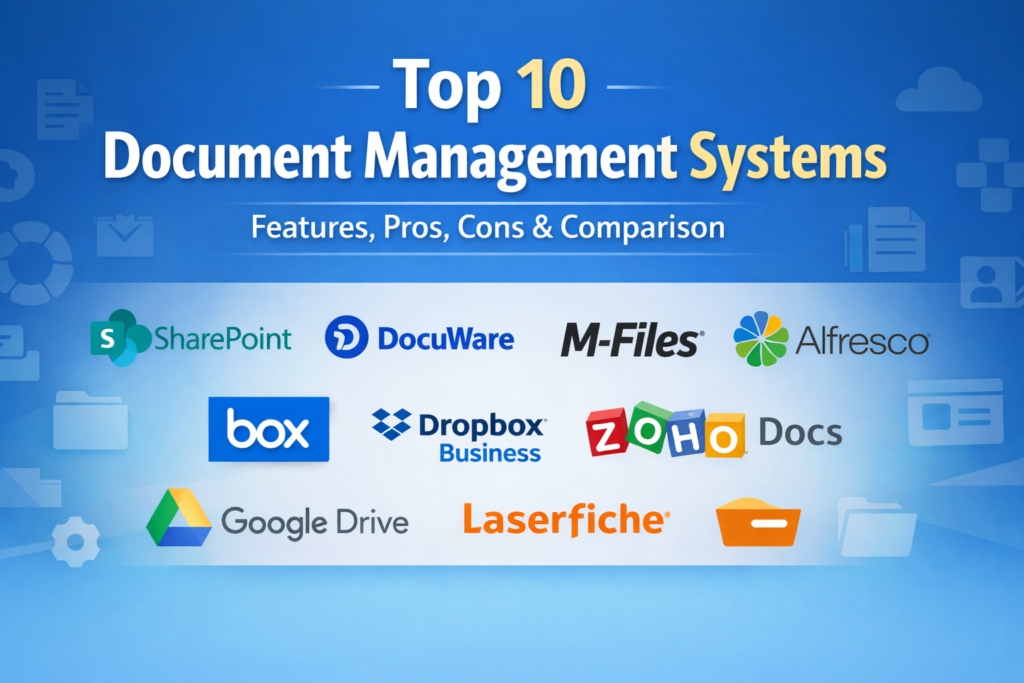
Top 10 Document Management Systems Tools
1 — Microsoft SharePoint
Short description:
A powerful enterprise-grade document and collaboration platform deeply integrated with the Microsoft ecosystem. Designed for organizations needing structured content management at scale.
Key features
- Centralized document libraries with metadata
- Version control and co-authoring
- Granular access permissions
- Workflow automation
- Enterprise search
- Integration with Microsoft productivity tools
Pros
- Excellent collaboration capabilities
- Highly scalable for large organizations
Cons
- Complex setup and administration
- Learning curve for non-technical users
Security & compliance
SSO, encryption, audit logs, GDPR, ISO, SOC 2 support.
Support & community
Extensive documentation, large user community, strong enterprise support options.
2 — DocuWare
Short description:
A cloud-first DMS focused on document automation, compliance, and workflow efficiency for mid-sized and enterprise organizations.
Key features
- Intelligent document capture
- Automated workflows
- Version control
- Metadata indexing
- Secure access controls
- ERP and accounting integrations
Pros
- Strong automation features
- User-friendly interface
Cons
- Premium pricing
- Limited customization without expertise
Security & compliance
Encryption, audit trails, GDPR, ISO-certified infrastructure.
Support & community
Professional onboarding, responsive customer support, structured documentation.
3 — M‑Files
Short description:
A metadata-driven DMS that organizes documents by context instead of folders, ideal for knowledge-heavy organizations.
Key features
- Metadata-based classification
- Intelligent search
- Workflow automation
- Version control
- Offline access
- AI-assisted content management
Pros
- Eliminates folder chaos
- Powerful search capabilities
Cons
- Requires mindset shift from folders
- Setup can be complex
Security & compliance
SSO, encryption, audit logs, GDPR, ISO standards.
Support & community
Strong vendor support, partner ecosystem, detailed guides.
4 — Alfresco
Short description:
An open-source DMS offering flexibility and customization, suitable for enterprises needing control over their content infrastructure.
Key features
- Open-source architecture
- Content modeling
- Workflow automation
- API-first integrations
- Version control
- Scalable deployment options
Pros
- Highly customizable
- Strong developer flexibility
Cons
- Requires technical expertise
- UI less intuitive than SaaS tools
Security & compliance
Configurable security, encryption, compliance depends on deployment.
Support & community
Active open-source community, enterprise support available.
5 — OpenDocMan
Short description:
A lightweight, open-source DMS focused on document control and approval workflows, suitable for smaller teams.
Key features
- Document approval workflows
- Version tracking
- Access control
- File check-in/check-out
- Web-based interface
Pros
- Free and open source
- Simple document control
Cons
- Limited scalability
- Basic UI and features
Security & compliance
Role-based access; advanced compliance varies by setup.
Support & community
Community-driven support, limited official documentation.
6 — Box
Short description:
A cloud content management platform emphasizing secure collaboration and enterprise-grade governance.
Key features
- Cloud-based storage
- Secure file sharing
- Workflow automation
- Version control
- API integrations
- Mobile access
Pros
- Strong security controls
- Excellent collaboration features
Cons
- Higher cost at scale
- Advanced features require premium plans
Security & compliance
Encryption, SSO, audit logs, GDPR, HIPAA, ISO, SOC 2.
Support & community
Robust enterprise support, clear documentation.
7 — Dropbox Business
Short description:
A familiar cloud file platform enhanced with document management and team collaboration capabilities.
Key features
- Cloud storage
- Version history
- Team folders
- File recovery
- Integration ecosystem
- Simple sharing controls
Pros
- Very easy to use
- Fast adoption for teams
Cons
- Limited advanced DMS features
- Compliance depth varies
Security & compliance
Encryption, SSO, GDPR; limited compliance tooling.
Support & community
Strong documentation, responsive support for business plans.
8 — Zoho Docs
Short description:
An affordable DMS within the Zoho ecosystem, designed for small to mid-sized businesses.
Key features
- Centralized document storage
- Team collaboration
- Version control
- Access permissions
- Workflow tools
- Integration with Zoho apps
Pros
- Cost-effective
- Seamless Zoho ecosystem integration
Cons
- Limited advanced compliance
- Less suitable for very large enterprises
Security & compliance
Encryption, role-based access, GDPR support.
Support & community
Decent documentation, email and chat support.
9 — Google Drive for Business
Short description:
A cloud-based document storage and collaboration platform popular for ease of use and real-time editing.
Key features
- Cloud storage
- Real-time collaboration
- Version history
- Powerful search
- Access controls
- Cross-platform support
Pros
- Extremely user-friendly
- Excellent collaboration
Cons
- Limited structured DMS features
- Governance controls can be basic
Security & compliance
Encryption, SSO, GDPR, ISO certifications.
Support & community
Extensive help resources, large user base.
10 — Laserfiche
Short description:
An enterprise content management system with strong automation and compliance capabilities.
Key features
- Document capture and indexing
- Workflow automation
- Records management
- Analytics
- Version control
- Role-based security
Pros
- Strong compliance focus
- Powerful automation
Cons
- Premium pricing
- Steeper learning curve
Security & compliance
Encryption, audit logs, GDPR, HIPAA, ISO, SOC 2.
Support & community
Enterprise-grade support, training programs, active user community.
Comparison Table
| Tool Name | Best For | Platform(s) Supported | Standout Feature | Rating |
|---|---|---|---|---|
| Microsoft SharePoint | Large enterprises | Web, Windows | Deep Microsoft integration | N/A |
| DocuWare | Mid–enterprise | Web, Cloud | Workflow automation | N/A |
| M-Files | Knowledge-driven teams | Web, Desktop | Metadata-driven organization | N/A |
| Alfresco | Custom enterprise setups | Web, On-prem | Open-source flexibility | N/A |
| OpenDocMan | Small teams | Web | Simple approvals | N/A |
| Box | Secure collaboration | Web, Mobile | Enterprise security | N/A |
| Dropbox Business | Fast adoption teams | Web, Mobile | Simplicity | N/A |
| Zoho Docs | SMBs | Web | Cost-effective suite | N/A |
| Google Drive for Business | Collaborative teams | Web, Mobile | Real-time editing | N/A |
| Laserfiche | Regulated enterprises | Web, On-prem | Compliance automation | N/A |
Evaluation & Scoring of Document Management Systems
| Criteria | Weight | Description |
|---|---|---|
| Core features | 25% | Storage, versioning, workflows, search |
| Ease of use | 15% | Learning curve, UI clarity |
| Integrations & ecosystem | 15% | Compatibility with business tools |
| Security & compliance | 10% | Standards, encryption, governance |
| Performance & reliability | 10% | Speed, uptime, scalability |
| Support & community | 10% | Documentation, vendor help |
| Price / value | 15% | Cost vs benefits |
Which Document Management Systems Tool Is Right for You?
- Solo users: Lightweight tools or cloud storage with versioning may suffice.
- SMBs: Zoho Docs, Dropbox Business, or DocuWare offer balance and affordability.
- Mid-market: M-Files and Box provide scalability with manageable complexity.
- Enterprise: SharePoint, Alfresco, and Laserfiche excel in governance and scale.
Budget-conscious vs premium:
Open-source or SMB-focused tools reduce cost, while premium platforms deliver compliance and automation.
Feature depth vs ease of use:
Simple tools boost adoption; advanced systems support complex workflows but require training.
Integration & scalability:
Organizations using Microsoft or Zoho ecosystems benefit from native integration.
Security & compliance:
Highly regulated industries should prioritize audit trails, certifications, and policy controls.
Frequently Asked Questions (FAQs)
- What is a Document Management System?
A DMS is software for storing, organizing, tracking, and securing digital documents. - How is a DMS different from cloud storage?
A DMS adds version control, workflows, metadata, and compliance features. - Do small businesses need a DMS?
Yes, if document volume, collaboration, or compliance is growing. - Is a DMS secure?
Most modern systems include encryption, access controls, and audit logs. - Can a DMS support remote teams?
Yes, cloud-based DMS platforms are designed for remote collaboration. - How long does implementation take?
From days for simple tools to months for enterprise deployments. - Is training required?
Basic tools require minimal training; enterprise systems often need onboarding. - Can a DMS integrate with ERP or CRM systems?
Many offer native or API-based integrations. - What are common mistakes when choosing a DMS?
Ignoring user adoption, overbuying features, and underestimating compliance needs. - Can a DMS scale with business growth?
Most modern systems are designed to scale with users and data volume.
Conclusion
Document Management Systems play a critical role in modern organizations by improving efficiency, collaboration, and compliance. The best system is not defined by popularity but by fit—how well it aligns with workflows, security requirements, and growth plans. By carefully evaluating features, usability, integrations, and value, organizations can choose a DMS that supports long-term productivity and governance rather than creating new complexity.