Introduction
Computer-Aided Engineering (CAE) simulation software plays a critical role in modern engineering and product development. These tools allow engineers and designers to virtually test, analyse, and validate products before building physical prototypes. By simulating real-world physics—such as structural stress, fluid flow, heat transfer, vibration, and electromagnetics—CAE software helps teams predict performance, identify weaknesses, and optimise designs early in the development lifecycle.
CAE simulation software is important because it reduces development costs, shortens time-to-market, and improves product reliability and safety. Instead of relying on expensive trial-and-error prototyping, companies can run thousands of virtual experiments, explore design alternatives, and make data-driven decisions with confidence.
Common real-world use cases include:
- Structural analysis of mechanical components
- Thermal management of electronic systems
- Aerodynamic and fluid flow optimization
- Crash and safety simulations in automotive design
- Fatigue and durability analysis in aerospace and heavy machinery
When choosing CAE simulation software, users should evaluate:
- Simulation breadth and depth (FEA, CFD, multiphysics, etc.)
- Accuracy and solver performance
- Ease of use and learning curve
- Integration with CAD and PLM tools
- Scalability, security, and enterprise readiness
- Cost and licensing flexibility
Best for:
CAE simulation tools are ideal for mechanical engineers, CAE analysts, R&D teams, product designers, manufacturing engineers, and simulation specialists across industries such as automotive, aerospace, electronics, energy, medical devices, and industrial equipment. They are widely used by mid-sized companies and large enterprises, as well as advanced engineering consultancies.
Not ideal for:
These tools may not be necessary for non-technical teams, early-stage startups with minimal engineering needs, or simple design projects where basic CAD validation is sufficient. In such cases, lightweight simulation add-ons or rule-based calculators may be more appropriate.
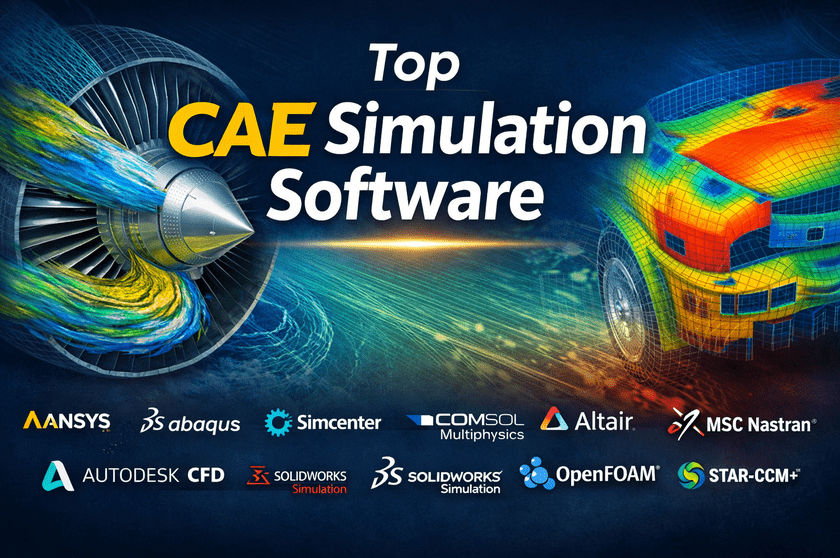
Top 10 CAE Simulation Software Tools
1 — ANSYS
Short description:
ANSYS is one of the most comprehensive and widely adopted CAE simulation platforms, offering high-fidelity multiphysics simulations for complex engineering problems across industries.
Key features:
- Advanced FEA, CFD, electromagnetic, and multiphysics solvers
- Industry-leading accuracy and validation
- High-performance computing (HPC) scalability
- Extensive material libraries
- Parametric and optimisation workflows
- Strong CAD and PLM integration
- Digital twin capabilities
Pros:
- Extremely accurate and trusted by large enterprises
- Broadest range of simulation disciplines
Cons:
- Steep learning curve for beginners
- Premium pricing structure
Security & compliance:
Enterprise-grade security, role-based access control, encryption, and compliance support vary by deployment.
Support & community:
Excellent documentation, global enterprise support, large professional user community.
2 — Abaqus
Short description:
Abaqus is a powerful nonlinear FEA and multiphysics simulation tool, widely used for structural, fatigue, and material behaviour analysis.
Key features:
- Advanced nonlinear and contact analysis
- Explicit and implicit solvers
- Strong material modelling
- Fatigue and fracture simulations
- Python-based scripting
- Tight integration with design workflows
Pros:
- Best-in-class for complex structural simulations
- Highly customizable via scripting
Cons:
- Expensive licensing
- Limited CFD compared to competitors
Security & compliance:
Enterprise security controls and access management vary by deployment.
Support & community:
Strong documentation, academic and enterprise support, active engineering community.
3 — Siemens Simcenter
Short description:
Siemens Simcenter combines simulation, testing, and system modelling to deliver a unified CAE environment for product performance engineering.
Key features:
- Integrated FEA, CFD, and system simulation
- Strong CAD and digital twin alignment
- Advanced thermal and flow solvers
- Multidisciplinary optimization
- Test-to-simulation correlation
- Automation and scripting tools
Pros:
- Excellent integration with product lifecycle workflows
- Balanced usability and depth
Cons:
- Complex licensing options
- Requires training for advanced features
Security & compliance:
Enterprise-grade security, role-based permissions, and compliance vary by configuration.
Support & community:
High-quality documentation, strong enterprise support, growing user ecosystem.
4 — COMSOL Multiphysics
Short description:
COMSOL is known for its flexible multiphysics simulation capabilities, allowing users to couple multiple physical phenomena in one model.
Key features:
- Fully coupled multiphysics modelling
- Intuitive model builder
- Custom physics equation definition
- Extensive add-on modules
- Parametric studies and optimisation
- Application builder for custom tools
Pros:
- Exceptional flexibility for custom physics
- User-friendly interface for advanced modeling
Cons:
- Computationally intensive models
- Licensing can become costly with add-ons
Security & compliance:
Standard enterprise security, deployment-dependent compliance.
Support & community:
Excellent documentation, responsive support, strong academic community.
5 — Altair HyperWorks
Short description:
Altair HyperWorks is a simulation-driven design platform focused on optimisation, lightweighting, and high-performance engineering.
Key features:
- Structural, CFD, and optimisation solvers
- Industry-leading topology optimization
- Model-based systems engineering
- Multi-disciplinary workflows
- Scalable HPC support
- Open architecture and APIs
Pros:
- Best-in-class optimization capabilities
- Flexible licensing model
Cons:
- Interface consistency varies across tools
- Learning curve for full platform usage
Security & compliance:
Enterprise-grade security options vary by deployment.
Support & community:
Strong documentation, responsive enterprise support, active professional community.
6 — MSC Nastran
Short description:
MSC Nastran is a long-standing structural analysis solver, widely used in aerospace and automotive industries for linear and nonlinear FEA.
Key features:
- High-accuracy structural solvers
- Modal, fatigue, and dynamic analysis
- Proven aerospace-grade reliability
- Strong solver robustness
- Large-scale model handling
Pros:
- Industry-proven accuracy
- Excellent for safety-critical applications
Cons:
- Limited modern UI
- Narrower multiphysics coverage
Security & compliance:
Enterprise security controls and compliance vary by customer setup.
Support & community:
Extensive documentation, long-established engineering community.
7 — Autodesk CFD
Short description:
Autodesk CFD provides accessible fluid flow and thermal simulation tools integrated closely with Autodesk’s design ecosystem.
Key features:
- Fluid flow and thermal analysis
- Cloud-enabled simulation options
- Easy CAD integration
- Visualization-focused results
- Automated meshing
- Design iteration support
Pros:
- Easy to learn and use
- Seamless CAD workflow integration
Cons:
- Limited advanced physics
- Not ideal for highly complex simulations
Security & compliance:
Cloud and enterprise security standards apply, varying by deployment.
Support & community:
Good documentation, strong design-oriented user base.
8 — SolidWorks Simulation
Short description:
SolidWorks Simulation is a design-integrated CAE tool aimed at engineers who want simulation directly within their CAD environment.
Key features:
- Linear and nonlinear structural analysis
- Thermal and motion simulation
- Design-integrated workflow
- Fatigue and buckling analysis
- Parametric studies
- CAD-native interface
Pros:
- Very easy for CAD users
- Fast design validation
Cons:
- Limited advanced solvers
- Less suitable for large-scale enterprise simulations
Security & compliance:
Standard enterprise security features vary by setup.
Support & community:
Strong documentation, large global CAD community.
9 — OpenFOAM
Short description:
OpenFOAM is an open-source CFD platform widely used for advanced fluid dynamics simulations and custom solver development.
Key features:
- Open-source CFD solvers
- Full source-code access
- Customizable physics models
- High-performance parallel computing
- Strong academic and research use
- Extensive case libraries
Pros:
- No licensing cost
- Extremely flexible for experts
Cons:
- Steep learning curve
- Limited official support
Security & compliance:
Varies / N/A (open-source, user-managed).
Support & community:
Large open-source community, extensive forums, and community-driven documentation.
10 — STAR-CCM+
Short description:
STAR-CCM+ is a leading CFD and multiphysics simulation tool focused on complex fluid flow, heat transfer, and simulation automation.
Key features:
- Advanced CFD and multiphysics solvers
- Automated meshing and workflows
- Strong visualisation tools
- Design exploration and optimisation
- HPC scalability
- Digital twin support
Pros:
- Excellent CFD accuracy and automation
- Enterprise-grade performance
Cons:
- High cost
- Primarily CFD-focused
Security & compliance:
Enterprise-grade security, role-based access, and compliance vary by deployment.
Support & community:
Strong enterprise support, professional user base.
Comparison Table
| Tool Name | Best For | Platform(s) Supported | Standout Feature | Rating |
|---|---|---|---|---|
| ANSYS | Enterprise multiphysics simulation | Windows, Linux | Industry-leading accuracy | N/A |
| Abaqus | Nonlinear structural analysis | Windows, Linux | Advanced material modeling | N/A |
| Siemens Simcenter | Product performance engineering | Windows, Linux | End-to-end simulation integration | N/A |
| COMSOL Multiphysics | Coupled physics modeling | Windows, Linux | Custom multiphysics equations | N/A |
| Altair HyperWorks | Optimization-driven design | Windows, Linux | Topology optimization | N/A |
| MSC Nastran | Structural and aerospace analysis | Windows, Linux | Proven solver reliability | N/A |
| Autodesk CFD | Design-centric CFD | Windows | CAD-integrated simulation | N/A |
| SolidWorks Simulation | CAD-embedded analysis | Windows | Ease of use | N/A |
| OpenFOAM | Advanced CFD research | Windows, Linux | Open-source flexibility | N/A |
| STAR-CCM+ | Enterprise CFD automation | Windows, Linux | Automated CFD workflows | N/A |
Evaluation & Scoring of CAE Simulation Software
| Evaluation Criteria | Weight | Score (Avg.) |
|---|---|---|
| Core features | 25% | High |
| Ease of use | 15% | Medium |
| Integrations & ecosystem | 15% | High |
| Security & compliance | 10% | Medium |
| Performance & reliability | 10% | High |
| Support & community | 10% | High |
| Price / value | 15% | Medium |
Which CAE Simulation Software Tool Is Right for You?
- Solo users: Prefer CAD-integrated or open-source tools with lower cost and easier learning curves.
- SMBs: Balance affordability and depth; modular or flexible licensing is important.
- Mid-market: Look for strong multiphysics support and automation.
- Enterprise: Prioritise accuracy, scalability, security, and vendor support.
Budget-conscious users should consider open-source or entry-level solutions.
Premium buyers benefit from high-end solvers and enterprise support.
Choose feature depth if simulations are complex; choose ease of use for fast iteration.
Scalability, integrations, and compliance become critical as teams grow.
Frequently Asked Questions (FAQs)
1. What is CAE simulation software used for?
It is used to virtually test and analyse product performance under real-world conditions before physical prototyping.
2. Is CAE software only for large companies?
No. While enterprises use advanced tools, smaller teams can use lighter or modular solutions.
3. How accurate are CAE simulations?
Accuracy depends on solver quality, model setup, and user expertise.
4. Do I need programming skills to use CAE tools?
Basic use does not require coding, but scripting helps with automation.
5. Are open-source CAE tools reliable?
They are reliable for experienced users but require more manual setup.
6. Can CAE software replace physical testing?
It reduces but does not eliminate the need for physical testing.
7. What hardware is required?
Complex simulations often need high-performance CPUs, GPUs, and memory.
8. Is cloud-based CAE simulation safe?
Security depends on vendor controls and deployment configuration.
9. How long does it take to learn CAE tools?
From weeks for basics to months for advanced simulations.
10. What is the biggest mistake users make?
Relying on default settings without validating assumptions.
Conclusion
CAE simulation software has become essential for modern engineering, enabling faster innovation, better product quality, and reduced development risk. While tools vary significantly in complexity, cost, and capabilities, the most important factors are accuracy, usability, scalability, and alignment with your engineering goals.
There is no single “best” CAE simulation software for everyone. The right choice depends on your industry, team size, budget, simulation needs, and long-term strategy. By carefully evaluating features, trade-offs, and real-world requirements, organisations can select a solution that delivers meaningful engineering and business value.