Introduction
3D animation software is a category of digital tools used to create three-dimensional visual content—objects, characters, environments, and full animated scenes that simulate depth, motion, and realism. These tools allow creators to model shapes, apply textures and materials, rig characters, animate movement, add lighting, and render final outputs for screens or interactive platforms.
In today’s digital-first world, 3D animation has moved far beyond movies and games. It plays a critical role in product visualisation, architectural design, engineering simulations, medical training, advertising, virtual reality (VR), augmented reality (AR), and metaverse experiences. Businesses use 3D animation to explain complex ideas, reduce physical prototyping costs, and improve customer engagement.
When choosing a 3D animation software, users should evaluate:
- Depth of modelling and animation features
- Ease of learning and workflow efficiency
- Rendering quality and performance
- Compatibility with pipelines and file formats
- Community, support, and long-term scalability
Best for:
3D animation software is ideal for animators, game developers, VFX artists, architects, product designers, educators, marketers, and simulation engineers, ranging from freelancers and startups to large studios and enterprises.
Not ideal for:
These tools may be excessive for users needing only basic 2D graphics, simple video editing, or static illustrations, where lighter design or motion-graphics tools are more efficient.
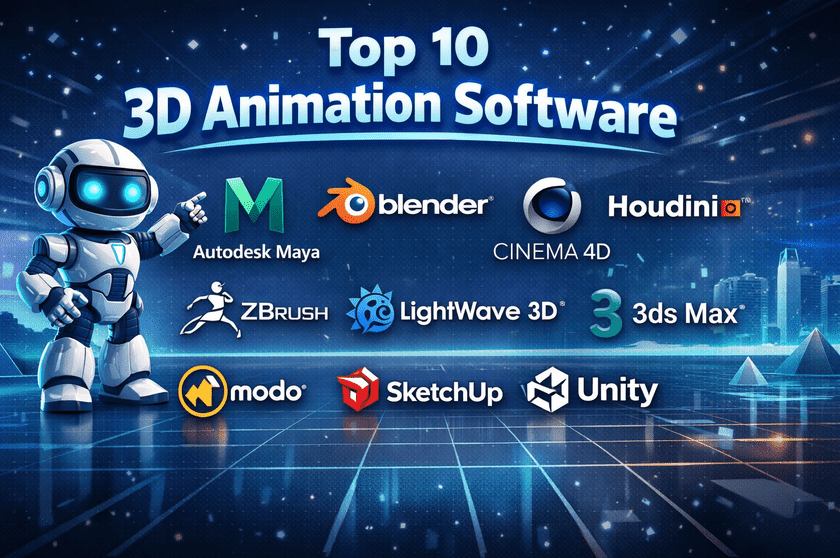
Top 10 3D Animation Software Tools
1 — Autodesk Maya
Short description:
Autodesk Maya is an industry-standard 3D animation and modelling tool widely used in film, television, and AAA game production.
Key features:
- Advanced character rigging and animation tools
- High-end modeling and sculpting workflows
- Physics-based simulations (cloth, hair, particles)
- Professional rendering integrations
- Scriptable workflows using Python
- Motion capture support
Pros:
- Industry-trusted and production-ready
- Potent animation controls
- Strong integration in studio pipelines
Cons:
- Steep learning curve
- Premium pricing model
Security & compliance:
Enterprise-grade security, role-based access, GDPR-aligned practices.
Support & community:
Extensive documentation, certified training, enterprise support, and a massive professional user community.
2 — Blender
Short description:
Blender is a free, open-source 3D creation suite suitable for animation, modelling, VFX, and rendering.
Key features:
- Full animation and rigging toolset
- Built-in Cycles and Eevee render engines
- Sculpting and texture painting
- Video editing and compositing
- Python-based extensibility
Pros:
- Completely free with no feature limits
- Rapid innovation and updates
- Huge global community
Cons:
- UI can feel overwhelming to beginners
- Fewer formal enterprise guarantees
Security & compliance:
Varies; open-source governance, local data control.
Support & community:
Extensive tutorials, forums, add-ons, and a highly active global community.
3 — Cinema 4D
Short description:
Cinema 4D is a professional 3D animation tool favoured for motion graphics and broadcast design.
Key features:
- Intuitive modelling and animation tools
- Powerful MoGraph system
- Seamless integration with motion-graphics workflows
- High-quality rendering
- Procedural animation support
Pros:
- Easy to learn compared to peers
- Excellent for design-driven animation
- Stable and fast
Cons:
- Expensive for individuals
- Less common in game development
Security & compliance:
Enterprise-grade licensing controls; GDPR-aligned.
Support & community:
High-quality documentation, training resources, and professional support.
4 — Houdini
Short description:
Houdini is a node-based procedural 3D animation and VFX software used for complex simulations.
Key features:
- Procedural modeling and animation
- Industry-leading VFX simulations
- Node-based workflow
- Scalable pipelines
- Custom tool creation
Pros:
- Unmatched control and flexibility
- Ideal for large-scale simulations
- Highly scalable
Cons:
- Very steep learning curve
- Overkill for simple animation
Security & compliance:
Enterprise-ready; studio pipeline-friendly.
Support & community:
Strong professional community, advanced documentation, and studio support options.
5 — 3ds Max
Short description:
3ds Max is a professional 3D modelling and animation tool popular in architecture and game asset creation.
Key features:
- Polygon and spline modelling
- Character animation tools
- Architectural visualisation support
- Rendering integrations
- Script automation
Pros:
- Excellent for architectural workflows
- Mature and stable platform
- Large plugin ecosystem
Cons:
- Windows-only
- Subscription-based pricing
Security & compliance:
Enterprise security standards, GDPR-aligned.
Support & community:
Extensive documentation and professional support.
6 — ZBrush
Short description:
ZBrush specialises in high-resolution digital sculpting for characters and organic models.
Key features:
- Advanced sculpting brushes
- High-poly detailing
- Texture painting
- Seamless pipeline integration
- Performance optimization
Pros:
- Industry-leading sculpting quality
- Ideal for character artists
- Handles millions of polygons
Cons:
- Limited animation tools
- Unique interface learning curve
Security & compliance:
Standard commercial software compliance.
Support & community:
Strong artist community, tutorials, and professional support.
7 — LightWave 3D
Short description:
LightWave 3D is a long-standing 3D animation and rendering tool used in TV and film production.
Key features:
- Integrated modelling and animation
- Fast rendering engine
- Procedural tools
- VFX support
- Cross-platform compatibility
Pros:
- Cost-effective professional option
- Strong rendering performance
Cons:
- Smaller ecosystem
- Less frequent updates
Security & compliance:
Standard software security practices.
Support & community:
Dedicated but smaller professional community.
8 — Modo
Short description:
Modo focuses on advanced modelling, texturing, and rendering with a flexible workflow.
Key features:
- Precision modelling tools
- High-quality rendering
- Non-destructive workflows
- Customizable UI
- Animation toolset
Pros:
- Excellent modelling experience
- Artist-friendly design
Cons:
- Animation features are less advanced
- Smaller user base
Security & compliance:
Commercial software standards.
Support & community:
Good documentation and niche professional community.
9 — SketchUp
Short description:
SketchUp is a user-friendly 3D modelling tool commonly used in architecture and interior design.
Key features:
- Intuitive modelling tools
- Large asset library
- Fast conceptual workflows
- Easy learning curve
- Visualization support
Pros:
- Extremely beginner-friendly
- Fast design iteration
Cons:
- Limited animation depth
- Not suited for high-end VFX
Security & compliance:
Standard commercial compliance.
Support & community:
Large user base, tutorials, and documentation.
10 — Unity
Short description:
Unity is a real-time 3D engine widely used for interactive animation, games, and simulations.
Key features:
- Real-time rendering
- Physics and animation systems
- VR and AR support
- Asset store ecosystem
- Cross-platform deployment
Pros:
- Ideal for interactive experiences
- Strong real-time performance
Cons:
- Not a traditional animation suite
- Licensing complexity
Security & compliance:
Enterprise security options are available.
Support & community:
Massive global community, enterprise support tiers.
Comparison Table
| Tool Name | Best For | Platform(s) Supported | Standout Feature | Rating |
|---|---|---|---|---|
| Autodesk Maya | Film & games | Windows, macOS, Linux | Advanced animation | N/A |
| Blender | All-in-one, free | Windows, macOS, Linux | Open-source power | N/A |
| Cinema 4D | Motion graphics | Windows, macOS | MoGraph system | N/A |
| Houdini | VFX simulations | Windows, macOS, Linux | Procedural workflow | N/A |
| 3ds Max | Architecture | Windows | Modeling precision | N/A |
| ZBrush | Sculpting | Windows, macOS | High-poly sculpting | N/A |
| LightWave 3D | TV & film | Windows, macOS | Fast rendering | N/A |
| Modo | Modeling | Windows, macOS, Linux | Artist-centric design | N/A |
| SketchUp | Concept design | Windows, macOS | Ease of use | N/A |
| Unity | Real-time 3D | Multi-platform | Interactive animation | N/A |
Evaluation & Scoring of 3D Animation Software
| Modelling, animation, and rendering depth | Weight | Description |
|---|---|---|
| Core features | 25% | Modeling, animation, rendering depth |
| Ease of use | 15% | Learning curve and usability |
| Integrations & ecosystem | 15% | Plugins, pipelines, formats |
| Security & compliance | 10% | Enterprise readiness |
| Performance & reliability | 10% | Stability and speed |
| Support & community | 10% | Documentation and help |
| Price / value | 15% | Cost vs capabilities |
Which 3D Animation Software Tool Is Right for You?
- Solo users: Blender, SketchUp
- SMBs: Cinema 4D, Modo
- Mid-market studios: Maya, 3ds Max
- Enterprise & VFX: Houdini, Maya
Budget-conscious users benefit from open-source tools, while premium solutions excel in scalability, pipeline integration, and studio reliability. Choose based on workflow complexity, team size, and output requirements.
Frequently Asked Questions (FAQs)
- Is 3D animation software hard to learn?
Yes, most tools have a learning curve, but beginner-friendly options exist. - Can I use free software professionally?
Yes, many professionals use open-source tools successfully. - Which software is best for beginners?
Tools with intuitive interfaces and tutorials are ideal. - Do I need a powerful computer?
High-end projects require strong hardware, especially for rendering. - Is 3D animation used outside entertainment?
Yes, widely used in architecture, medicine, and engineering. - Can these tools integrate with game engines?
Most support export pipelines for real-time engines. - Are subscriptions better than one-time licenses?
Depends on budget and long-term usage. - How important is community support?
Very important for learning and troubleshooting. - Is security a concern?
Primarily for enterprises with shared pipelines. - Can one tool do everything?
No single tool is perfect for every use case.
Conclusion
3D animation software empowers creators to bring ideas to life with depth, realism, and motion. While the tools listed above represent the best in the industry, the right choice depends on your goals, budget, and workflow needs. Focus on usability, feature depth, scalability, and community strength rather than chasing a single “best” option. The most effective tool is the one that fits your creative and technical requirements.