Introduction
Image editing software has become an essential tool in today’s digital-first world. Whether you are designing marketing creatives, editing product photos, retouching portraits, or preparing visuals for websites and social media, image editing tools help transform raw images into polished, professional assets. At its core, image editing software allows users to modify, enhance, manipulate, and optimize images through features such as cropping, color correction, retouching, layering, and visual effects.
The importance of image editing software goes far beyond aesthetics. High-quality visuals directly impact brand perception, user engagement, and conversion rates. Businesses rely on images to communicate trust and professionalism, while creators use them to express ideas and stand out in crowded digital spaces. From eCommerce catalogs and advertising banners to social media posts and print materials, image editing tools are deeply embedded in everyday workflows.
When choosing image editing software, users should evaluate several key factors: feature depth, ease of use, performance, platform compatibility, file format support, collaboration capabilities, security, and overall value for money. The right tool balances creative power with usability, helping users work efficiently without unnecessary complexity.
Best for:
Image editing software is ideal for photographers, graphic designers, digital marketers, content creators, social media managers, eCommerce businesses, media agencies, educators, and enterprises managing large visual libraries.
Not ideal for:
Users who only need basic image cropping or resizing, teams with no visual content requirements, or workflows that rely entirely on automated design systems may find full-featured image editing tools excessive for their needs.
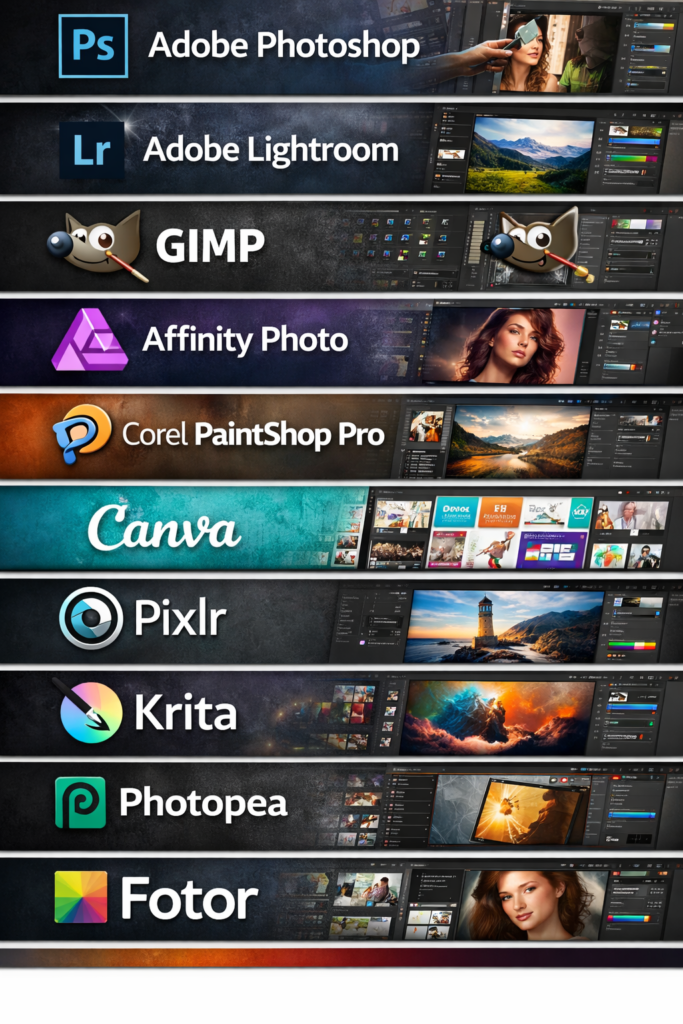
Top 10 Image Editing Software Tools
1 — Adobe Photoshop
Short description:
Adobe Photoshop is the industry-standard image editing software used by professionals worldwide for advanced photo manipulation, graphic design, and digital art.
Key features:
- Layer-based editing with masks and blending modes
- Advanced retouching and healing tools
- AI-powered selection and content-aware fill
- Extensive brush and typography controls
- Support for RAW, PSD, and multiple export formats
- Integration with creative ecosystems
- Advanced color grading and correction
Pros:
- Unmatched depth and flexibility
- Industry-recognized professional standard
- Constant innovation with AI enhancements
Cons:
- Steep learning curve for beginners
- Premium pricing model
- Can be resource-intensive
Security & compliance:
Enterprise-grade security, encryption, access controls, GDPR compliance (varies by deployment).
Support & community:
Extensive documentation, tutorials, certifications, large global user community, enterprise support available.
2 — Adobe Lightroom
Short description:
Adobe Lightroom focuses on photo organization, non-destructive editing, and color correction, making it popular among photographers.
Key features:
- Non-destructive photo editing workflow
- Advanced color grading and presets
- Batch editing and syncing
- Cloud-based photo management
- RAW image processing
- AI-powered masking tools
Pros:
- Excellent for photography workflows
- Clean and intuitive interface
- Strong mobile and desktop integration
Cons:
- Limited graphic design tools
- Not suitable for complex compositing
- Subscription-based pricing
Security & compliance:
Cloud encryption, access controls, GDPR compliance.
Support & community:
Strong documentation, tutorials, active photography community.
3 — GIMP
Short description:
GIMP is a powerful open-source image editor offering advanced editing features without licensing costs.
Key features:
- Layer-based image editing
- Advanced selection and masking tools
- Custom brushes and plugins
- Support for multiple file formats
- Scriptable workflows
- Community-developed extensions
Pros:
- Free and open source
- Highly customizable
- Strong core editing capabilities
Cons:
- Interface feels dated
- Steeper learning curve
- Limited official support
Security & compliance:
Varies / N/A (local, open-source deployment).
Support & community:
Active community forums, extensive online guides, community plugins.
4 — Affinity Photo
Short description:
Affinity Photo is a professional-grade image editor offering powerful tools with a one-time purchase model.
Key features:
- Advanced retouching and compositing
- Real-time performance engine
- Non-destructive editing workflows
- RAW image processing
- PSD compatibility
- Advanced selection tools
Pros:
- One-time purchase, no subscription
- High performance and stability
- Professional-grade features
Cons:
- Smaller ecosystem than Adobe
- Fewer learning resources
- Limited cloud collaboration
Security & compliance:
Local file-based security, varies by OS.
Support & community:
Good documentation, growing user community, email support.
5 — Corel PaintShop Pro
Short description:
PaintShop Pro is a Windows-focused image editor combining photo editing and graphic design features.
Key features:
- Layer-based photo editing
- AI-powered upscaling and noise removal
- Built-in templates and effects
- RAW photo support
- Script automation tools
- One-time license model
Pros:
- Cost-effective alternative
- Beginner-friendly interface
- Strong photo enhancement tools
Cons:
- Windows-only
- Smaller professional community
- Limited third-party integrations
Security & compliance:
Local deployment, varies / N/A.
Support & community:
Official documentation, tutorials, user forums.
6 — Canva
Short description:
Canva is a browser-based design and image editing tool designed for non-designers and fast content creation.
Key features:
- Drag-and-drop editor
- Pre-built templates and layouts
- Basic photo editing tools
- Team collaboration features
- Brand kits and asset management
- Cloud-based storage
Pros:
- Extremely easy to use
- Ideal for marketing teams
- Fast design turnaround
Cons:
- Limited advanced editing features
- Less control over fine details
- Dependency on cloud access
Security & compliance:
SSO options, encryption, GDPR compliance.
Support & community:
Help center, onboarding guides, community templates.
7 — Pixlr
Short description:
Pixlr is a lightweight online image editor offering quick edits and basic enhancements.
Key features:
- Browser-based editing
- AI background removal
- Filters and overlays
- Layer support
- Mobile-friendly interface
- Fast exports
Pros:
- No installation required
- Fast and accessible
- Good for quick edits
Cons:
- Limited professional tools
- Performance depends on browser
- Ads in free versions
Security & compliance:
Varies / N/A (cloud-based).
Support & community:
Basic documentation, limited enterprise support.
8 — Krita
Short description:
Krita is a free, open-source image editor focused on digital painting and illustration.
Key features:
- Advanced brush engines
- Layer and mask support
- PSD compatibility
- Color management tools
- Animation frame support
- Tablet and stylus optimization
Pros:
- Excellent for illustrators
- Free and open source
- Strong performance
Cons:
- Less suited for photo editing
- Limited asset management
- Smaller professional ecosystem
Security & compliance:
Varies / N/A.
Support & community:
Strong artist community, tutorials, forums.
9 — Photopea
Short description:
Photopea is a browser-based image editor designed to mimic professional desktop tools.
Key features:
- PSD file compatibility
- Layer-based editing
- Vector and raster support
- No installation required
- Runs in-browser
- Lightweight performance
Pros:
- Familiar interface for professionals
- Accessible from any device
- Free tier available
Cons:
- Limited offline usage
- Performance depends on browser
- Ads in free version
Security & compliance:
Varies / N/A.
Support & community:
Basic documentation, online user base.
10 — Fotor
Short description:
Fotor is a simple image editor designed for quick enhancements and social media visuals.
Key features:
- One-click photo enhancements
- Filters and effects
- Collage maker
- Basic retouching tools
- Online and desktop versions
- Template-based designs
Pros:
- Easy to learn
- Fast editing workflows
- Suitable for casual users
Cons:
- Limited advanced tools
- Less control over edits
- Not ideal for professionals
Security & compliance:
Varies / N/A.
Support & community:
Help center, basic tutorials, limited enterprise support.
Comparison Table
| Tool Name | Best For | Platform(s) Supported | Standout Feature | Rating |
|---|---|---|---|---|
| Adobe Photoshop | Professional designers | Windows, macOS | Advanced compositing | N/A |
| Adobe Lightroom | Photographers | Windows, macOS, Mobile | Non-destructive editing | N/A |
| GIMP | Budget-conscious users | Windows, macOS, Linux | Open-source flexibility | N/A |
| Affinity Photo | Professionals without subscriptions | Windows, macOS, iPad | One-time purchase | N/A |
| PaintShop Pro | Windows users | Windows | AI photo tools | N/A |
| Canva | Marketing teams | Web, Mobile | Templates & collaboration | N/A |
| Pixlr | Quick edits | Web | Browser-based editing | N/A |
| Krita | Illustrators | Windows, macOS, Linux | Digital painting | N/A |
| Photopea | PSD compatibility online | Web | In-browser PSD support | N/A |
| Fotor | Casual users | Web, Desktop | One-click enhancements | N/A |
Evaluation & Scoring of Image Editing Software
| Criteria | Weight | Description |
|---|---|---|
| Core features | 25% | Depth of editing, tools, and capabilities |
| Ease of use | 15% | Learning curve and interface clarity |
| Integrations & ecosystem | 15% | Plugins, formats, and workflow compatibility |
| Security & compliance | 10% | Data protection and enterprise readiness |
| Performance & reliability | 10% | Stability and speed |
| Support & community | 10% | Documentation and user help |
| Price / value | 15% | Cost relative to value delivered |
Which Image Editing Software Tool Is Right for You?
- Solo users: Lightweight tools like Pixlr or Fotor provide fast results without complexity.
- SMBs: Canva, Affinity Photo, and PaintShop Pro balance affordability with features.
- Mid-market teams: Adobe Lightroom and Affinity Photo offer strong workflows and quality.
- Enterprises: Adobe Photoshop remains the most scalable and powerful option.
Budget-conscious users should prioritize open-source or one-time purchase tools, while premium users benefit from advanced AI features and integrations.
If ease of use is critical, template-driven tools excel. For maximum creative control, professional-grade editors are better suited. Security and compliance become essential for enterprise environments managing sensitive content.
Frequently Asked Questions (FAQs)
1. Is image editing software necessary for small businesses?
Yes, quality visuals improve brand perception and marketing effectiveness.
2. Can beginners use professional image editing tools?
Yes, but expect a learning curve and training investment.
3. Are free image editors reliable?
Many free tools are powerful, but may lack support and polish.
4. What is non-destructive editing?
It allows edits without permanently altering original files.
5. Do these tools support collaboration?
Some offer cloud-based collaboration, others rely on file sharing.
6. Is cloud-based editing secure?
Security varies by vendor and configuration.
7. Which tool is best for social media graphics?
Template-driven platforms are ideal for speed and consistency.
8. Are subscriptions always required?
No, several tools offer one-time purchase models.
9. Do image editors support RAW files?
Professional tools usually support RAW formats.
10. What is the most common mistake buyers make?
Choosing overly complex tools without real need.
Conclusion
Image editing software plays a crucial role in creating impactful visual content across industries. From professional photo retouching to fast marketing designs, these tools support a wide range of creative and business needs. When choosing an image editing solution, it’s essential to focus on usability, feature relevance, performance, and long-term value.
There is no single “best” image editing software for everyone. The right choice depends on your goals, skill level, budget, and workflow requirements. By aligning tool capabilities with real-world needs, individuals and organizations can unlock the full potential of visual storytelling and digital creativity.